
So, you're looking to delete a domain from GoDaddy. On the surface, it seems as easy as clicking a button. But let's be real—hitting that button without a game plan is like tossing a filing cabinet into a bonfire without checking what’s inside. You might just be torching a valuable asset you didn't even realize you had.
Should You Really Delete Your GoDaddy Domain?
Okay, let's hit the strategic pause button. The urge to "delete" usually springs from a few classic scenarios: a project that fizzled out, a brand idea that went nowhere, or you're just tired of that domain cluttering up your account. But is nuking it from orbit the smartest play?
Often, the real driver is something else entirely—maybe frustration with GoDaddy's sky-high renewal fees or just navigating a dashboard that feels like a labyrinth. A quick, impulsive click could mean losing a domain that has quietly been building up some serious value. Trust me, I’ve seen it happen. People accidentally throw out names with killer backlink profiles or shocking branding potential. This is your moment to make an informed choice, not a rage-click you'll regret later.
Perform a Quick Value Audit
Before you do anything permanent, you need to ask a few sharp questions. Think of it as a 2-minute appraisal of your digital property.
- Does it have any SEO juice? A domain with a history of quality backlinks can give a new project a massive head start. Deleting it completely vaporizes that advantage. Poof. Gone.
- Is it brandable? Short, memorable, and keyword-rich domains are digital real estate. What seems like a dead-end to you might be the perfect name for someone else's next million-dollar idea.
- Could someone else want it? Even if you have zero use for it, the domain might be worth something on the secondary market. Just letting it drop into the void means you get zip, zilch, nada.
Instead of just letting a domain fade into the ether, think about its potential. Before you decide if deleting your GoDaddy domain is the right move, it's worth taking a look at what the platform actually offers. This case study on GoDaddy's online platform and website design gives some good perspective. It can help you figure out if you're just leaving behind a single, unneeded domain or a platform with capabilities you might have overlooked.
Consider the Changing Market
The domain world is always in flux. Recent data shows GoDaddy lost a staggering 1.25 million .com domains year-over-year, while competitors like Namecheap have been scooping them up. This kind of market shake-up is like a dinner bell for savvy domain hunters and SEO pros on the lookout for newly available assets.
If you’re curious about what kinds of names just hit the market, you can browse a list of Available domains that were recently dropped. It’s a great way to get a feel for what’s out there—and what your domain might be competing against.
By taking a moment to assess your domain's true worth, you turn a simple "delete" into a strategic business decision. You might discover you're sitting on a hidden gem that's better off sold, transferred, or repurposed rather than simply deleted.
The Hands-Off Method: Letting a Domain Expire
So, you've run the numbers and decided a domain isn't worth keeping. The easiest, and frankly safest, way to get rid of it is to just let it die on the vine. This “hands-off” method means you don’t have to touch any scary, irreversible “delete” buttons, and you can sleep soundly knowing you won't be charged for it again.
Your only job here is to log into your GoDaddy account and flip the auto-renew switch to "off." It’s as satisfying as canceling a subscription you forgot you even had. That one click tells GoDaddy, "Thanks, but I'm good," and prevents any future charges. No drama, no risk of accidentally vaporizing the wrong domain—just a simple, clean break.
Understanding the Domain Afterlife
Once you've shut off auto-renew, what actually happens? The domain doesn't just poof into digital smoke the moment it expires. It enters a sort of limbo—a predictable lifecycle with several stages. It's awesome to know this timeline because it gives you plenty of chances to change your mind if you get a sudden case of seller's remorse.
For a while after the expiration date, the domain enters a grace period where you can still renew it, usually without any penalty. Think of it as a built-in "oops" buffer. After that, it gets more serious (and more expensive to reclaim) as it heads toward being released back into the wild for anyone to grab. This infographic shows the kind of market dynamics that make these expiring domains such hot commodities.
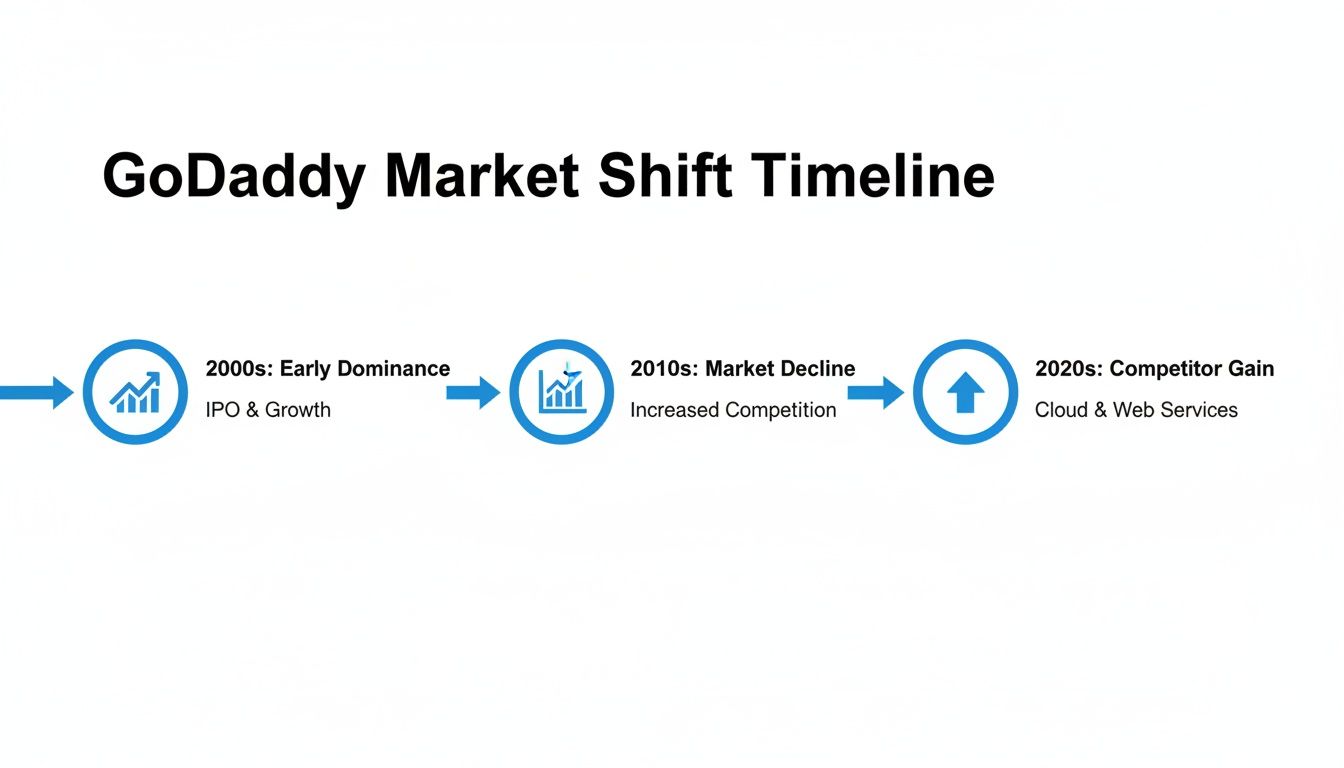
As you can see, shifts in the market mean valuable domain names are constantly being dropped by major registrars, creating a huge opportunity for those who are paying attention.
The GoDaddy Expiration Timeline
GoDaddy has this whole process down to a science. It's not random; it’s a 72-day journey from the day your domain expires to when it's completely gone from your account and back on the open market.
During this window, it moves through a few key phases. Around day 18, the domain goes inactive. By day 26, it usually hits GoDaddy's Expired Domains Auction. But the date that really matters is day 72. That's when it's finally released back to the registry, free for anyone in the world to register.
This predictable window is exactly why domain investors are always watching Expiring domains that are about to drop. They know the precise moment a name with potential value will become available again. If you want to get into the nitty-gritty, we wrote a whole guide on when a domain will actually expire.
Letting a domain expire is the ultimate set-it-and-forget-it method. You prevent future costs while giving yourself a long window to reconsider, all without the permanent finality of manual deletion. It's the smartest way to "delete" a domain from GoDaddy for a reason.
The Clean Break: Deleting a Domain Immediately
Sometimes you just want a domain gone. Not "let it expire in a few months," but gone now. For this, GoDaddy offers an immediate "Delete Domain" option. Think of this as the nuclear option in domain management. It’s not just tossing a document in the recycling; it’s running it through a shredder, then burning the shreds.
This action is fast, clean, and brutally permanent. It yanks the domain from your account almost instantly. But that speed comes with a hefty price. When you delete a domain this way, you immediately forfeit any registration time you paid for. There are no refunds, and the domain is essentially gone for good. It’s an extreme measure that’s almost always the wrong one.

This scorched-earth approach really only makes sense in one, very specific scenario: you just registered the domain, spotted a typo, and you're still inside GoDaddy’s very brief refund window—usually just a few days. In that case, deleting it might be the required step to get your money back. For literally any other situation, it's a terrible idea.
How to Permanently Delete Your Domain
If you’re absolutely certain this is what you need to do, and you’ve weighed the consequences, here’s the process. Remember, there’s no undo button here.
First, sign in to your GoDaddy account and make your way to your Domain Portfolio.
Once you're there, find the domain you want to erase from existence. Click the three-dot menu next to it, which will bring up a list of options. Look for and select “Delete Domain.”
GoDaddy will then throw up a series of dire warnings. This is your final chance to back out. You’ll have to check a box confirming you understand you're losing the domain forever and won't be getting a refund. After you’ve confirmed, hit the final "Delete" button. The domain will vanish from your account, usually within a few minutes.
Critical Warning: Deleting a domain that has an active website or email service tied to it will break everything. Instantly. Your site will go dark, and your email will stop working. Always, always migrate or back up anything important before you even think about hitting that button.
Cancellation vs. Deletion
It's vital to know the difference between simply canceling a domain and outright deleting it. They are not the same thing, and confusing them can be a costly mistake.
- Canceling (Turning off Auto-Renew): This is the safe, sensible route. The domain remains in your account until its natural expiration date. You have months, maybe even a year, to change your mind or find a use for it.
- Deleting (Immediate Removal): This is pulling the pin on a grenade. The domain is gone from your account in a flash, you lose any money you paid for the remaining registration time, and getting it back is next to impossible.
While deleting a domain name has permanent consequences, the life cycle of what happens next is pretty interesting. If you're curious, we have a guide that breaks down the journey of a domain name after it's deleted. In almost every single case, simply canceling the auto-renewal and letting the domain expire is the smarter, safer play.
Is It Deletion or Divorce? Transferring Your Domain Away
Before you nuke a perfectly good domain name from orbit, let's talk about the real problem. Is it the domain, or is it the place it lives? I see this all the time—people get so fed up with GoDaddy's user experience, the constant upselling, and those sticker-shock renewal prices that they're ready to burn it all down.
But don't mistake a bad landlord for a bad house.
Just because you’re frustrated with the platform doesn’t mean your digital asset is worthless. Instead of letting your domain and all its history just evaporate, think about moving it. This isn't deletion; it's a strategic relocation. You keep the brand, you keep the SEO, you keep everything you've built—you just ditch the headache-inducing registrar.
When to Break Up with Your Registrar
The feeling of registrar-regret is a common one. The signs are usually crystal clear, and if you find yourself nodding along here, a transfer is probably the smartest move you can make.
You've likely seen these before:
- The Renewal Sticker Shock. This is a classic industry play. Lure you in with a dirt-cheap first-year registration, then jack the price up when it's time to renew. If your "great deal" just turned into an expensive liability, it's time to find a new home for your domain.
- Support That Isn't Supportive. When things go sideways, you need a registrar that actually has your back. Endless hold music and support agents who read from a script are a huge red flag that you're on your own.
- A Clunky, Confusing Interface. Managing your domains shouldn't feel like a trip to the DMV. If you're digging through menus just to find a basic setting like unlocking a domain or getting an auth code, the platform is actively working against you.
These aren't just one-off complaints. The customer feedback tells the story. On Sitejabber, for example, GoDaddy is sitting on a rating of just 1.7 stars from over 500 reviews. Users consistently bring up billing problems, surprise charges, and the sheer difficulty of trying to transfer their domains away from the service.
Don’t let a bad registrar experience convince you to abandon a good domain. Transferring puts you back in control and can save you a significant amount of money in the long run.
Gearing Up for a Smooth Transfer
Moving a domain is like moving to a new apartment: a bit of prep work makes the whole process painless. Before you pull the trigger, you’ll need to get a few things in order on the GoDaddy side.
First, you've got to unlock your domain. GoDaddy locks domains by default to stop unauthorized transfers, which is a good thing until you're the one trying to leave. Log in and toggle that lock off.
Next, you'll need the authorization code. Think of it as your domain's password for the move. It's sometimes called an "auth code" or "EPP code," and you'll request it from your GoDaddy dashboard.
Finally, take a look at your privacy settings. If you're using domain privacy, you might need to turn it off for a bit. The new registrar has to see your actual contact information to verify that you're the real owner.
If you decide to transfer your domain away from GoDaddy, exploring alternatives like this comprehensive Hostinger review can provide valuable insights into your next move. Also, keep the 60-day transfer lock in mind. ICANN rules say you can't transfer a domain for 60 days after you first register it or after a previous transfer. Plan your timing accordingly.
Finding Your Next High-Value Domain
So you’ve gone through the process of cleaning house and figured out how to delete a domain from GoDaddy. That feels like an ending, but it’s actually the beginning of something much more fun. You now have a clean slate. Instead of just walking away, this is your chance to upgrade your digital real estate to a property that genuinely moves the needle for your business.
Think of it like swapping an old, beat-up car for a new one. The old car got you from A to B, sure, but the new ride has better performance, modern features, and actually turns heads. The same logic applies to domains. By cutting an underperforming name, you’ve freed up both budget and mental space for a strategic acquisition.

This is the pivot that separates savvy entrepreneurs and SEOs from the rest. It's not about endlessly hoarding domains; it's about curating a portfolio of high-value assets that do work for you.
Hunting for Freshly Dropped Domains
The moment a domain officially expires and gets released back into the wild, it enters the open market. For anyone looking for a clean, brandable name without the baggage of a previous owner's messy history, this is a gold rush. These are Available domains, and you can register them instantly at any registrar for the standard price.
Imagine finding a short, memorable .com that someone simply forgot to renew. It happens way more often than you'd think. Instead of settling for a clunky name with hyphens or some obscure extension, you can snag a premium asset for the price of a few coffees.
Using a platform like NameSnag lets you filter these recently dropped gems. You can immediately search for Available domains that hit the market Today or within the last 3 Days, giving you first dibs on the best of the bunch.
Snagging Premium Expiring Domains
An even more strategic approach is to get ahead of the curve. Some of the most valuable domains are those that have already expired but aren't yet available to the public. These are Expiring domains, currently sitting in a grace period or heading to auction. They often come with a proven history, valuable backlinks, and established domain authority—gold for SEO.
This is where the real treasure hunting begins. By monitoring these names, you can identify prime targets before they drop.
Getting ahead of the competition is key. By identifying a high-value expiring domain, you can prepare to bid on it at auction or backorder it, dramatically increasing your chances of securing a game-changing asset.
Many tools allow you to filter for these domains based on when they're expected to drop. For instance, you could search for all high-quality Expiring domains set to become available in the next 7 or 14 days. This gives you a window to research their backlink profiles and history before you commit.
Want to get a better handle on the timelines? We put together a complete breakdown of what happens to domains that are about to expire.
By shifting your mindset from just deleting an old domain to strategically acquiring a new one, you turn what was a simple cleanup task into a powerful growth opportunity.
Common Sticking Points and Questions
So, you're trying to get rid of a GoDaddy domain and have some questions. That's not surprising. The process can feel a little murky, so let's clear up some of the most common things people get hung up on.
Can I Get a Refund if I Delete My GoDaddy Domain?
The short answer is: almost certainly not. GoDaddy's refund policy is notoriously strict and time-sensitive. You usually only have a very small window—a few days at most—to cancel a brand new registration and get your money back.
If you hit that "Delete Domain" button after the refund period is over, you will not get a refund. You're just forfeiting whatever time is left on the registration. This is exactly why just turning off the auto-renew feature is almost always the better financial play.
What Happens to My Website and Email if I Delete the Domain?
This is the big one. The moment you pull the trigger, everything attached to that domain will instantly break. Your website will go dark, throwing an error at anyone who tries to visit.
Even more critically, any email addresses you've set up—like you@yourbusiness.com—will stop working. No more sending, no more receiving. It all just vanishes. Before you even think about deleting a domain or letting it expire, you absolutely must have a plan to back up your website and migrate your email accounts. Not doing this is a recipe for catastrophic data loss.
Key Takeaway: The second a domain is gone, so are all its services. You need to have your website and email migrated and safely running elsewhere before you take that final step.
I Deleted My Domain by Mistake—Can I Get It Back?
Maybe, but prepare for a headache and an open wallet. If you simply canceled the auto-renew and the domain just recently expired, you're probably in its grace period (typically a couple of weeks). In that case, you can usually renew it without any penalty.
However, if you used that irreversible "Delete Domain" option or the grace period has passed, things get tricky. The domain might fall into what's called a Redemption Period. Getting a domain out of redemption is possible, but it comes with a steep penalty from GoDaddy—often over $80. If you wait out the full expiration cycle of roughly 72 days, the domain gets released back to the public. At that point, you're in a race with everyone else to try and re-register it.
How Long Does It Take to Fully Delete a Domain from GoDaddy?
This all comes down to the path you choose. If you use the "Delete" function in your account dashboard, the domain disappears from your account almost instantly. It's fast, and it's final.
On the other hand, if you "Cancel" the domain by just turning off auto-renewal, it will linger in your account until it has gone through the entire expiration process. This whole lifecycle takes about 72 days after the expiration date before GoDaddy scrubs it from their system completely.
Feeling overwhelmed by finding your next great domain? Don't be. NameSnag makes it easy to discover high-value names without the guesswork. Whether you're looking for freshly Available domains you can register right now or want to get a jump on premium Expiring domains before they hit the open market, our platform helps you find the perfect fit.
Find Your Perfect Domain
Get access to thousands of high-value expired domains with our AI-powered search.
Start Free Trial