
At its core, a DNS A Record is the internet's most fundamental address entry. It's the simple bit of text that translates a human-friendly website name (like YourAwesomeSite.com) into a computer-friendly IP address—the numerical location of the server hosting that site. Without it, your browser wouldn't have a clue where to find any website you type in.
The Internet's Address Book Explained

Ever wonder what actually happens when you type a domain into your browser and hit Enter? It feels like magic, but it’s all thanks to a global directory called the Domain Name System (DNS). The A Record is the star player in this system.
Think of it this way: the internet is a massive, sprawling city. Every website is a building somewhere in that city. You might know a building by its name, say "The Apex Tower," but the postal service needs its actual street address to deliver anything.
In this scenario:
- The domain name is the building's common name (
YourAwesomeSite.com). - The IP address is the building's non-negotiable street address.
- The DNS A Record is the official entry in the city's address book that ties the name to the physical street address.
Without this simple lookup, navigating the web would be impossible unless you had a knack for memorizing long strings of numbers for every site you wanted to visit. Trust me, nobody wants that headache.
To give you a quick reference, here’s how the main parts of an A Record fit together.
A Record at a Glance
| Component | What It Is | Simple Analogy |
|---|---|---|
| Host/Name | The domain or subdomain being pointed. | The name of a contact in your phone. |
| Record Type | Set to 'A' for an IPv4 address. | The type of information you're storing (e.g., 'mobile'). |
| Value/Points To | The IPv4 address of the destination server. | The actual phone number for your contact. |
| TTL | "Time To Live," how long the record is cached. | How long your phone remembers the number before re-checking. |
This table strips away the jargon and shows you just how straightforward the concept is. It's a simple, powerful pointer.
Why A Records Are So Important
The "A" in A Record stands for Address. Its one and only job is to point a domain (or subdomain) to a server's IPv4 address. To really get this, it helps to understand what website hosting is—because that’s the physical server where your website's files actually live. The A Record is the bridge connecting your domain name to that server.
This connection is fundamental for anyone running a website, but it’s absolutely critical for domain investors and SEOs. When you finally snag that perfect domain from a list of newly dropped names, the very first thing you'll do is set its A Record. That one action—pointing the domain to your hosting account—is what brings a dormant name back to life.
You can learn more about other record types in our full guide to understanding all DNS entries.
An A Record is the digital signpost that tells every browser in the world exactly where to find your website. It’s the simplest, yet most essential, piece of the entire DNS puzzle.
An A Record is the star player on the DNS team. It has one critical job, but it can't win the game alone. To really get what it does, you have to follow the chain of events your browser kicks off every time you try to visit a website. It’s a rapid-fire series of questions and answers that happens in milliseconds.
Let's say you type a domain into your browser. The browser has no idea what IP address that name corresponds to, so it starts asking around. This is the DNS lookup process.
First, it checks its own memory (the cache) and then asks your computer's operating system. If nobody local has the answer, the request gets punted out to a series of specialized DNS servers on the internet. Each one knows a little more than the last, pushing the request down the line until it gets to the server with the final answer.
The DNS Team Roster
During this lookup, the A Record is often the goal, but your browser is ready to handle whatever the DNS servers throw at it. It’s a whole team of record types, each with a very specific job.
Here’s a quick look at the other key players on the field:
- AAAA Records: This is the modern cousin to the A Record. It points to a more complex IPv6 address. As the internet keeps growing, these are getting more and more important.
- CNAME Records: Think of this as a nickname or an alias. Instead of pointing to an IP address, it points one domain name to another. For example,
blog.example.commight be a CNAME record that just points over toexample.com. - MX Records: These are the mail carriers of the internet. Mail Exchanger (MX) records tell email servers where to deliver messages for a domain. Your inbox would be a ghost town without them.
The journey ends when the request finally hits the domain's authoritative nameserver. This server is the ultimate source of truth. When it's asked for the site's address, it hands over the A Record, which contains the specific IPv4 address. Your browser finally has the coordinates it needs to connect to the web server and load the page.
The A Record is the final destination in the DNS lookup. Other records might handle nicknames or direct your email, but the A Record is the definitive instruction that says, "The website you want is right here."
This role has been a bedrock of the internet since the very beginning. DNS A records have been the primary tool for mapping domain names to IPv4 addresses since the early 1980s. That long, stable history is exactly what makes them so valuable when you’re hunting for expiring domains with clean, established pasts. You can dig into the entire backstory and discover more insights about DNS history on DNSInstitute.com.
For anyone serious about SEO or domain investing, A Records are a lot more than just a line of technical jargon. They’re the treasure maps that show where a domain has been and unlock where it can go. Frankly, understanding how to read and use them is one of those skills that separates the pros from the folks who are just dabbling.
This is never more true than when you’re hunting for a new digital asset. It doesn't matter if you're looking at a brand-new domain or a seasoned name with a long history—the A Record is your first stop. It's the switch you flip to bring a domain to life and the historical ledger you check to make sure you're not buying a lemon.
Putting New and Expired Domains to Work
Let's say you've just found the perfect domain. How you handle its A Record depends entirely on its status. A freshly dropped, available name has a totally different starting point than a domain that's expired but still locked up.
Here’s how you’d tackle each scenario:
- For Available Domains: You’ve hit the jackpot and found a great name in the list of available domains that you can register right now. Your first move after hitting "buy" is to set its A Record. You’ll point it to your web host's IP address, connecting your shiny new domain to a live server. This is the first real step in building its new identity.
- For Expiring Domains: You're scouting expiring domains that will be up for grabs soon. Before you even dream of bidding, your job is due diligence. You have to dig into its historical A Records to see where it was hosted. A stable history on reputable servers is a huge green light. A history of frantic jumps between suspicious IP addresses? That's a massive red flag. Maybe you're looking for domains dropping in the next 7 days—you can easily filter for that and focus your energy where it counts.
This simple diagram breaks down the journey a browser takes to find a site, with the A Record playing the starring role.
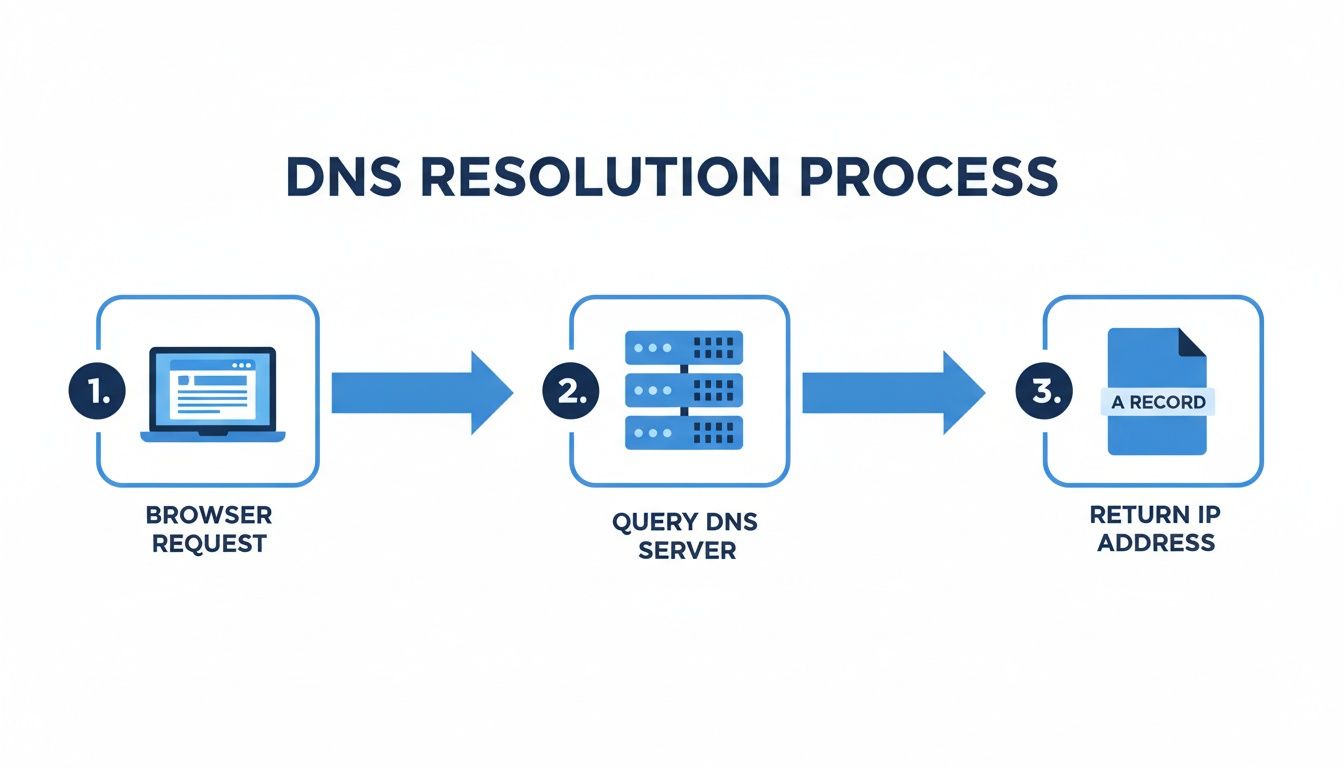
This whole process, from your browser to a DNS server and finally to the A Record, shows just how fundamental this one little record is to making a website work.
A Records as a Due Diligence Tool
Think of an A Record’s history as a domain’s credit report. It tells a story about its past behavior, which is a powerful signal of its current value and future potential. A clean history suggests the domain was legitimate and stable, making it a much safer—and more valuable—investment.
Analyzing a domain's A Record history is one of the most effective due diligence steps you can take. A stable hosting history often correlates with a legitimate, well-maintained website, whereas erratic changes can signal a history of spam or malicious use.
When you're evaluating an expired domain, you're basically looking for signs of a healthy past life. Was this a real business? Or was it part of a spammy link farm built just to game search rankings?
A quick look at its past A Records gives you immediate clues. A domain that has consistently pointed to a known web host like Kinsta, WP Engine, or SiteGround is far more trustworthy than one that bounced between dozens of unknown IP addresses in a short period. This is exactly why a tool that automatically vets a domain's history is so valuable—it does the detective work for you, saving you from the headache of buying a toxic asset.
How to View and Change Your DNS A Records
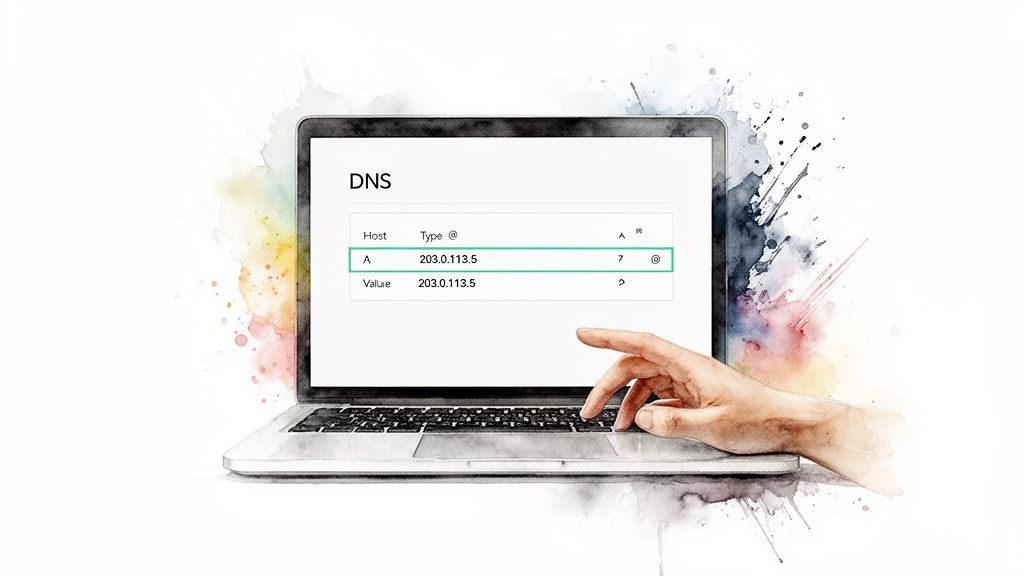
Alright, enough theory. Let's get our hands dirty. It’s time to stop just talking about what DNS A records are and actually start pointing them somewhere useful.
Don't worry, this is far easier than it sounds. You don't need to be a network engineer. You just need to know where to click. Whether you’re pointing a freshly acquired domain or migrating a site you’ve owned for years, this is a fundamental skill.
The process is surprisingly consistent across most domain registrars and web hosts. You'll usually find your DNS settings in a dashboard area called “DNS Management,” “Zone Editor,” or something similar. For a specific example, our guide on how to set up DNS records at Namecheap walks through their interface step-by-step.
Finding Your DNS Settings
Once you land in the right spot, you’ll see a table of all the DNS records for your domain. It might look a little intimidating, but you’re just looking for one thing: the ‘A’ record type.
Here's the usual drill:
- Log In: Get into your domain registrar (where you bought the name) or your hosting provider's control panel.
- Find the DNS Zone: Navigate to the DNS management page for the exact domain you want to edit.
- Locate the A Record: Find the row with the type set to "A" and the name set to "@" or your root domain (like yourdomain.com). This is the main one.
- Edit and Save: Click the "Edit" button. Swap the old IP address in the "Value" or "Points to" field with the new one your web host gave you. Hit "Save."
It's that simple.
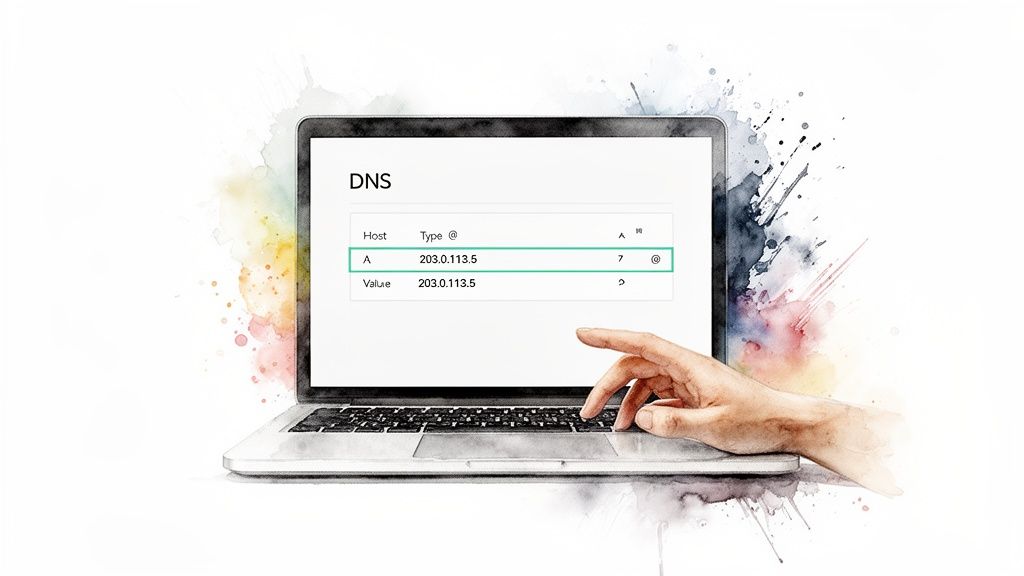
This screenshot shows a typical DNS editor. You can add or edit an A Record by filling in the name, TTL, type, and the IP address it points to.
Understanding TTL (Time To Live)
While you're editing, you'll run into a field called TTL, or Time To Live. Think of this as a "refresh timer" for your DNS record. It tells servers around the world how long they should cache—or "remember"—your A Record's information before they bother to check for an update.
TTL is measured in seconds. A common default is 3600 (one hour), but you'll see values from 300 (five minutes) to 86400 (24 hours).
Here’s a pro tip. If you know you're about to change your A Record—like when you're moving to a new web host—it's smart to lower the TTL to its minimum value a day or two beforehand.
This forces the change to propagate across the internet much faster, minimizing any potential downtime. Once you've confirmed everything is working at the new host, you can set it back to a higher value.
Spotting Red Flags with Historical A Records
A domain's history is the single best predictor of its future worth. For anyone serious about investing in domains or doing SEO, digging into historical DNS data isn't just a neat trick; it's mandatory due diligence.
Looking at a domain’s A Record history is like reading its life story. Was it a real business? A spam-spewing link farm? Or was it just gathering dust on a parking page for a decade? This is the kind of intel that separates the pros from the people who end up with a portfolio of toxic assets.
A domain that spent years pointed to a sketchy IP address in a foreign country might bring you a world of hurt, no matter how clean its backlink profile looks on the surface.
Reading a Domain's Digital Footprint
Think of a domain's A Record history as its resume. A stable "work history"—where the domain pointed to reputable hosts like Cloudflare or AWS for long stretches—is a massive green light. It tells you this domain was probably home to a legitimate project.
On the other hand, a chaotic history tells a very different, and usually much worse, story.
- Frequent Jumps: If the A Record changed every few weeks, hopping between different IP addresses and hosts, that's a huge red flag. This is classic behavior for a domain used in a private blog network (PBN) or some other manipulative scheme.
- Suspicious Hosts: A history of pointing to IPs known for spam or malware? That’s not a red flag; it's a blaring air raid siren. Walk away.
- Long-Term Parking: Finding a domain that pointed to a generic parking page IP for years isn't necessarily bad news. It just means it hasn't been building any real authority or user trust. It's a blank slate, not a running start.
This kind of digital detective work is a non-negotiable part of the buying process. You can learn more about this in our guide to checking a domain's history before you buy.
Using Historical Data to Your Advantage
This is where the real strategy kicks in. When you're hunting for domains, you aren’t just looking for a name that sounds cool. You're looking for either a clean slate or a solid foundation.
Historical DNS record databases have become incredibly powerful tools, with some services holding onto records that go back more than a decade. For domain hunters, this is transformative. You can check a name's entire digital life before you ever commit a dime. You can learn more about how these databases have evolved and explore DNS history on Netlas.io.
A stable A Record history with reputable hosts is one of the strongest indicators of a quality domain. It suggests legitimacy and a lower risk of inheriting search engine penalties.
This is precisely why you need automated analysis. When you're looking at expiring domains, you have to know if you're about to buy a hidden gem or a toxic asset. A tool that flags penalty risks and verifies a clean A Record history saves you countless hours and, more importantly, protects your investment. It makes sure the domain you’re about to snag is built on solid ground, not quicksand.
Common A Record Mistakes and How to Avoid Them
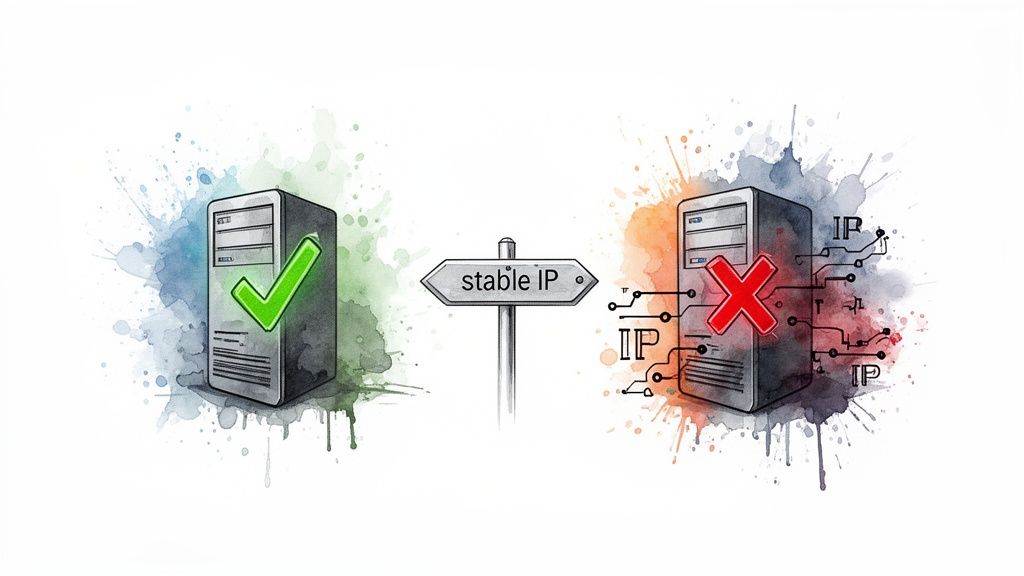
Managing A records is usually a walk in the park. But when things go wrong, they go really wrong. A tiny slip-up can take your entire website offline, and that moment of panic is something no one enjoys.
Don't worry. Most DNS mistakes are common, surprisingly easy to fix, and frankly, a great learning experience.
The most frequent blunder? The classic typo. You've got your new server's IP address, you're in a hurry to get things running, and you transpose a couple of numbers. Just like that, your domain is pointing to a server that doesn't exist—or worse, one that belongs to someone else.
Another common tripwire is creating conflicting records. For instance, you can't have an A record and a CNAME record on your root domain (e.g., yourdomain.com). They do different jobs, and setting both just confuses the heck out of DNS servers trying to figure out where to send your traffic.
The TTL Trap
One of the sneakiest mistakes, and one that has bitten me before, involves the Time To Live (TTL) setting. Imagine you're about to migrate your site to a new host and you leave the TTL at its default of 3600 seconds (one hour), or even higher.
What Happened? You update the A record with your shiny new IP address, but servers all over the world will stubbornly hold onto the old one for a full hour before checking again. During this propagation window, a huge chunk of your visitors could be sent to the old, now-decommissioned server, where they'll find nothing but error pages.
This causes unnecessary downtime and a truly frustrating experience for your users. Understanding how to diagnose and fix these problems is a core skill for keeping a site online, much like tackling the issues covered in this guide on Fixing Domain Not Found Errors.
How to Avoid These Pitfalls
Thankfully, a little foresight makes these problems entirely preventable. A simple pre-flight checklist can save you a massive headache down the line.
- Double-Check the IP: Before you even think about hitting "Save," carefully verify the IP address. Don't type it manually. Copy and paste it directly from your hosting provider's instructions.
- Plan Your Migration: At least 24 hours before a planned migration, lower your TTL to the minimum value your registrar allows (often 300 seconds). This forces DNS servers to check for changes more frequently, so when you do make the switch, it propagates across the internet in minutes, not hours.
- Clean Up Old Records: When you add a new A record, make it a habit to remove any old or conflicting ones. One root domain, one A record. Keep it simple.
A Record FAQs: The Stuff You Actually Need to Know
Let's tackle a few of the questions that always seem to trip people up. Getting your head around these will save you a world of pain and make managing your domains feel a lot less like guesswork.
Can a Domain Have More Than One A Record?
Absolutely. In fact, it's a classic move for handling serious traffic.
When you set up multiple A records for one domain, you're using a simple but effective technique called DNS round-robin. Each record points to a server with a different IP address. When visitors come to your site, DNS servers hand out these different IPs in rotation, spreading the load across your servers.
It's a straightforward form of load balancing that boosts your site's reliability. If one server goes down, the others can pick up the slack.
What's the Difference Between an A Record and a CNAME?
I like to think of it as a physical address versus a "mail forwarding" sticker.
An A Record is the direct, physical address. It maps your domain name straight to the server's IP address (e.g.,
yourdomain.com->192.0.2.1). It's the final destination.A CNAME Record, or "Canonical Name," is like telling the post office to forward all mail for one address to another. It points a domain name to another domain name, not an IP address (e.g.,
blog.yourdomain.com->yourdomain.com).
Here’s the golden rule you can’t forget: your root domain (the yourdomain.com part) can't have both an A record and a CNAME record. You have to pick one. It's one of those fundamental laws of DNS you just don't break.
How Long Until My A Record Changes Actually Work?
This all boils down to one setting: the TTL (Time To Live).
Propagation—the time it takes for servers across the internet to see your update—can be as quick as a few minutes or drag on for a full 48 hours. A shorter TTL tells servers to check back for changes more often, which means your updates go live faster. If you're planning a server migration, setting a low TTL beforehand is a pro move.
At NameSnag, we believe that understanding the nuts and bolts of DNS is the first step to becoming a savvy domain investor. Instead of spending hours manually digging through domain histories, you can use our platform to find high-value expiring domains with clean, verified track records in an instant.
Find Your Perfect Domain
Get access to thousands of high-value expired domains with our AI-powered search.
Start Free Trial