You type in your domain, hit enter, and get domain not found.
If it’s your business site, your stomach drops. If it’s a client’s site, your phone suddenly feels heavier. If it’s a domain you’ve been watching from the sidelines, though, that same error can feel like a door cracking open.
That’s the odd thing about this message. It means disaster for one person and opportunity for another. Sometimes it’s a temporary DNS mess. Sometimes it’s an expired registration. Sometimes the domain is gone, suspended, dropped, or sitting in that awkward limbo where the public record tells you less than it used to.
A lot of guides treat domain not found like a pure tech support issue. That’s only half the story. The better way to think about it is this: the error is a signal. Your job is to figure out what kind.
That Sinking Feeling and A Glimmer of Hope
One version of this story is ugly.
You launched the site, renewed the hosting, did the design work, maybe even paid for backlinks and content. Then one morning the domain throws a domain not found error and your whole online operation turns into a blank stare. No homepage. No lead form. No email trust. Just digital tumbleweeds.

The other version is a lot more fun.
You check a domain that used to rank, used to have links, or used to belong to a decent brand. It now returns domain not found. That’s when experienced investors stop scrolling and start digging. Not because every dead-looking domain is a gem. Most aren’t. But because some of the best pickups start with a broken page and a little neglect.
The same error means two very different things
For owners, this error usually means one question: how fast can I get it back?
For investors, it means a different one: is this available, or just temporarily broken?
Those are not the same workflow. Mixing them up costs money either way.
Practical rule: Never assume domain not found means the domain is gone. Sometimes the registration is intact and the DNS is just a mess. Other times the site is gone and the domain is the valuable part.
The unwritten rule is simple. Panic is expensive. So is greed.
If you own the domain, don’t start changing five settings at once and making the trail impossible to read. If you’re hunting domains, don’t fall in love with a name before you’ve checked whether its history is clean enough to touch.
The rest comes down to diagnosis, recovery, and knowing when an error is a lead.
The Usual Suspects Behind a Missing Domain
Most domain not found errors come from a short list of repeat offenders. You don’t need to be a DNS engineer to understand them. You just need to know which problem family you’re dealing with.
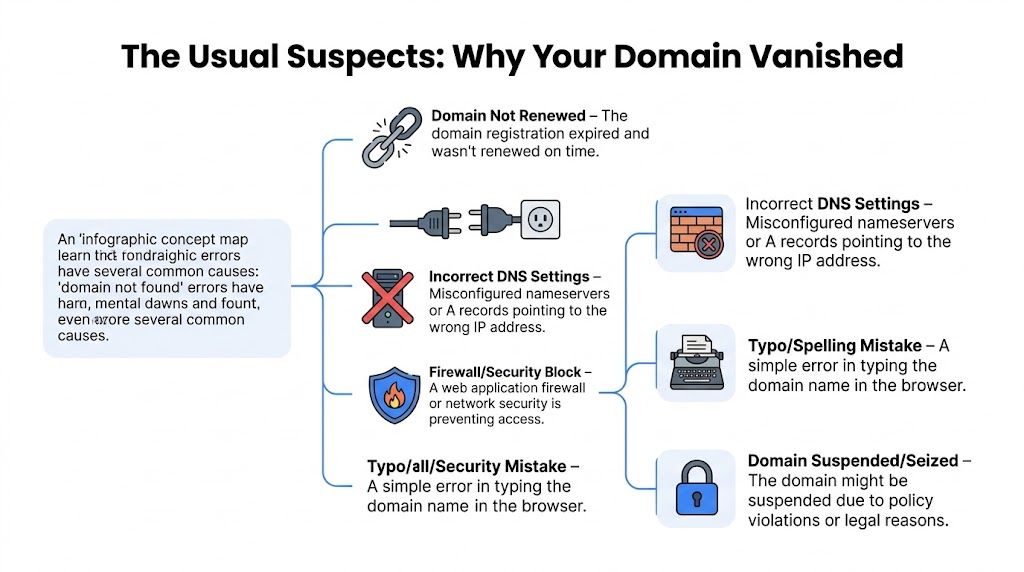
Expired registration
This is the classic own goal.
A domain is rented, not owned forever. If the registration lapses and nobody renews it in time, the name can stop resolving or fall into a registrar life cycle that eventually leads to deletion or re-registration. That’s why domain not found often shows up right after somebody changes cards, misses an invoice, or assumes auto-renew was enabled when it wasn’t.
It's similar to forgetting to pay rent on the storefront. The business may still exist. The sign just got taken down.
DNS changes that haven’t finished spreading
DNS is internet plumbing with a bad attitude.
You update nameservers or records, and some places see the new version fast while others keep old data in cache. So the domain may work on your phone, fail on your laptop, and look completely dead from another country. That’s not always a broken domain. Sometimes it’s just the internet being slow to agree with itself.
Bad DNS records
This one bites owners and email teams constantly.
The domain exists, but the settings point nowhere useful. Wrong nameservers. Broken A records. Bad CNAMEs. Email records entered in the wrong format. A tiny typo can turn a healthy domain into a ghost.
A good analogy is a GPS pointing drivers to an empty parking lot. The address exists. The directions are trash.
Suspension, transfer issues, or account trouble
Sometimes the domain is registered but locked up by process.
A registrar dispute, policy issue, billing problem, unauthorized transfer, or account access mess can leave the domain effectively unusable. The domain hasn’t vanished. You’ve just lost the keys, or someone moved the keys without telling you.
WHOIS got murkier, not clearer
Years ago, a quick WHOIS check gave people a much cleaner picture of who held a domain and whether it had really gone dark. That changed after GDPR. Public ownership visibility dropped hard, which made lost-domain investigation messier for legitimate users and more comfortable for bad actors.
The U.S. Chamber notes that after GDPR, 80 to 90% of records were anonymized in gTLDs like .com, and the same piece cites the Anti-Phishing Working Group’s count of 4.7 million phishing incidents in 2022, with 150% annual growth since 2019. That loss of WHOIS transparency made domain history and status harder to verify in plain view (U.S. Chamber overview of disappearing domain name data).
When public records get fuzzier, clean diagnosis matters more. You can’t rely on one lookup anymore.
Quick triage table
| Situation | What it usually means | What to do first |
|---|---|---|
| Domain not found everywhere | Expiry, deletion, or nameserver failure | Check registrar account and registration status |
| Works in one place but not another | Propagation or cache issue | Wait, test from other networks, verify public DNS |
| Website dead but domain still registered | Hosting or DNS config issue | Review nameservers and record accuracy |
| Email setup fails while site looks fine | Record formatting issue | Check MX, SPF, DKIM entries carefully |
| Domain looks empty but used to be valuable | Possible drop or pending opportunity | Investigate history before trying to buy |
A missing domain is usually less mysterious than it looks. The trick is not treating every symptom like the same disease.
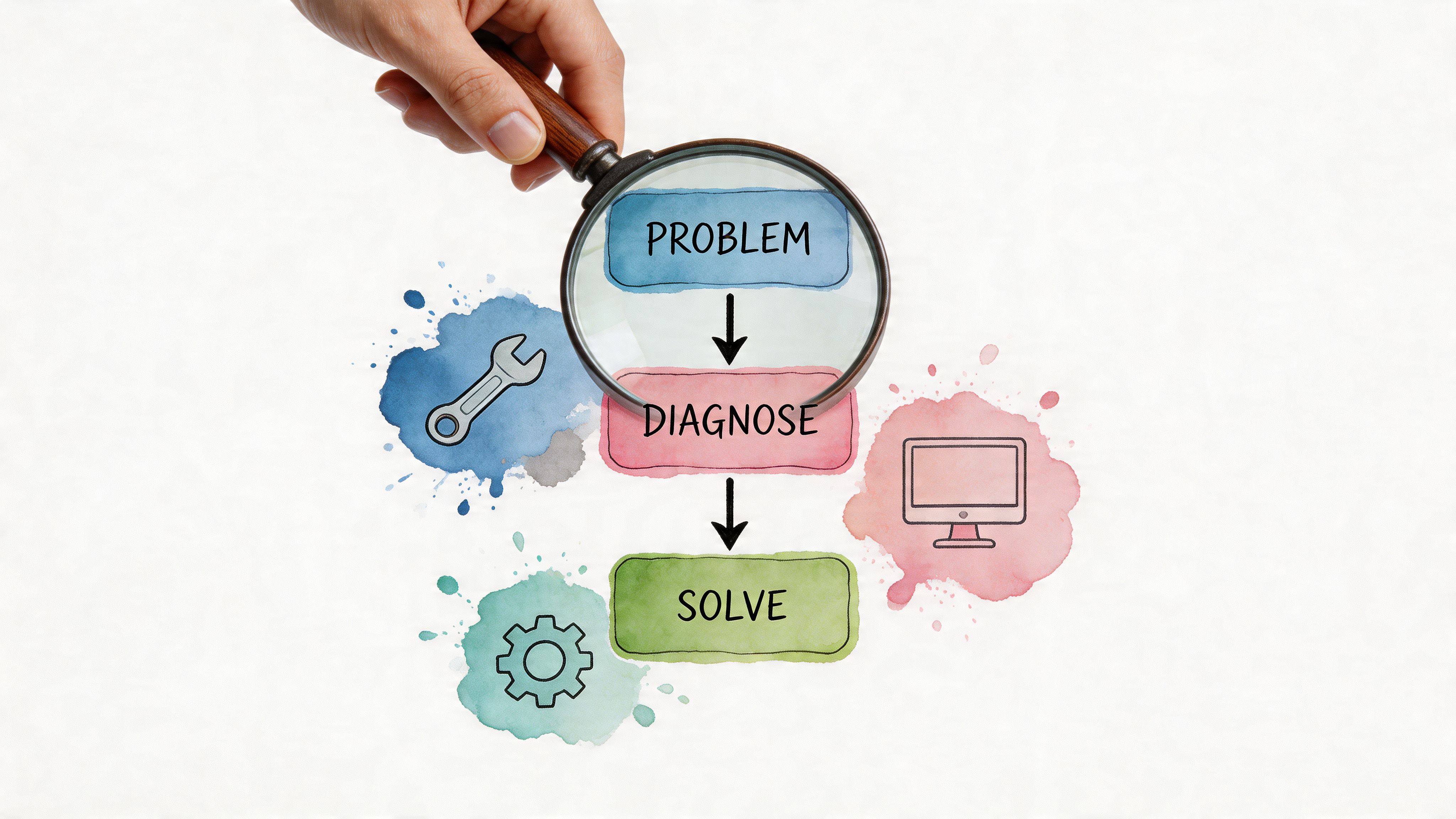
Your Diagnostic Toolkit for Finding the Truth
A "domain not found" error can mean two very different things. If you own the name, it is a repair job. If you do not, it might be a buying signal.
The mistake is treating both cases with the same sloppy process.
Start where false alarms live
A surprising number of "dead" domains are only dead on one laptop, one browser, or one office network. Check that first before you touch registrar settings or start shopping for backup names.
Run a few fast tests:
- Try another device: If it works on your phone but not your desktop, you may be staring at stale browser or local DNS cache.
- Switch networks: Test on mobile data and a different Wi-Fi connection. That tells you whether the problem is local or visible to the public internet.
- Use private browsing: Old redirects, cached records, and browser extensions can make a healthy domain look broken.
This takes five minutes and saves hours of self-inflicted damage.
Check what the public internet sees
Next, verify whether the domain resolves outside your own environment. Public DNS checkers help because they show what multiple resolvers see, not just what your machine remembers.
Clean results across several resolvers usually mean the domain exists and your problem sits elsewhere. No records at all points to a real DNS or registration issue. Mixed results usually mean propagation, caching, or inconsistent nameserver responses.
If the site matters to revenue, stop relying on random manual checks and use real-time website monitoring so you know the moment resolution or uptime breaks.
Confirm registration status
Now check whether the name is registered and what state it is in.
A WHOIS lookup still helps, even with privacy masking all over the place. You are looking for practical clues, not a full biography:
- Is the domain registered
- Does the status suggest expiry, hold, or transfer trouble
- Did the creation date change in a way that suggests a recent drop and re-registration
- Do the registrar status codes look normal
That last point matters more than people think. "Registered but not resolving" and "not registered at all" are two completely different problems, with two completely different price tags.
If you want a quick refresher before you inspect records, this guide on what DNS entries are covers the basics without wasting your time.
Treat recent edits like prime suspects
Domains rarely "mysteriously disappear" right after somebody changed nameservers, edited MX records, connected a new host, or moved email through a new provider. Somebody touched something.
If a developer, agency, or SaaS tool made changes in the last day or two, check those edits before you invent bigger theories. Bad formatting, wrong record values, and partial propagation can all produce a domain-not-found symptom even when the name is still yours and still recoverable.
Diagnose first. Click second.
A short explainer can also help if you’re troubleshooting with a teammate or client:
Check the domain's past, not just its present
At this point, owners and investors part ways.
An owner checks history to understand baggage. An investor checks history to avoid buying a polished disaster.
Use the Wayback Machine and backlink tools to answer a few expensive questions:
- Was this a real business site or a spam asset
- Did the topic shift hard over time
- Was it tied to gambling, pharma, adult, or parasite SEO
- Do old branded pages suggest legitimate links and brand signals
- Does the backlink profile look natural or stuffed with junk anchors
A blank screen on a once-used domain can be a warning or an opportunity. The money is in knowing which one before someone else does.
A workflow that keeps you out of rabbit holes
| Step | What you are testing | Good sign | Bad sign |
|---|---|---|---|
| Local checks | Device, browser, and network issues | Works elsewhere | Fails everywhere |
| Public DNS lookup | Whether records resolve publicly | Consistent answers | No records or mixed answers |
| WHOIS review | Registration and status state | Active registration | Expired, deleted, or on hold |
| Recent change audit | Whether a human caused the mess | One clear recent edit | Multiple overlapping changes |
| History review | Risk and resale potential | Legitimate prior use | Spam history or toxic links |
Good diagnosis does two things. It gets owners to the right fix faster, and it helps investors spot names worth chasing before the crowd notices.
The Recovery Playbook for Your Own Domain
You wake up, type in your domain, and get nothing useful back. Traffic stops. Leads stop. If email is tied to that domain, the damage spreads fast.
The fix is usually less dramatic than the panic. The expensive mistake is changing five systems at once and turning a clean diagnosis into a mess.
Start with control. Figure out who owns the problem before you touch anything.
If the domain expired
Go straight to the registrar account and check the exact status there. Hosting dashboards, site builders, and CDN panels can confuse the issue because they are not the source of truth for registration.
If the domain is still in grace or redemption, pay first and ask questions second. If it has moved closer to deletion, contact registrar support immediately and ask three things: the current status, the last date you can recover it, and whether the name is headed to auction.
If you need a plain-English walkthrough of the timeline, read this guide on what happens when a domain is expired.
A hard truth from the field. The person who knows the login wins. The person who says “I think our old contractor handled it” usually loses a day.
If DNS is the problem
This is the classic false alarm. The domain looks dead, but the registration is fine and the records are wrong, incomplete, or still updating.
As noted earlier, Resend’s documentation on verification failures points to a few recurring DNS problems: record values entered in the wrong format, providers auto-appending the domain to a value, and changes not showing up publicly yet. The practical lesson is simple. Check nameservers before individual records, copy values exactly as required, and do not assume a fresh edit has propagated just because your dashboard says “saved.”
Use a boring process here. Boring makes money.
- Confirm the nameservers first: Wrong nameservers make every other DNS edit irrelevant.
- Inspect the record values character by character: One extra hostname fragment can break verification, mail flow, or both.
- Edit one item at a time: If you change SPF, MX, CNAME, and redirects together, you create your own outage report.
- Re-check from public tools after the change: Your local browser cache is not evidence.
- Retry verification only after the records resolve correctly: Premature retries waste time and muddy the trail.
If the registrar caused the outage
Registrar issues have a different smell. Billing failed. The domain is on hold. A transfer got interrupted. Two people in the company both think they own the account, and neither one has the right inbox anymore.
Get organized fast. Save invoices, renewal receipts, support emails, screenshots of account details, and any proof that your business controls the name. Ask support for the exact status code or hold reason, not a vague summary. If there is any sign of unauthorized changes, say so clearly and escalate early.
Rage emails do not speed this up. Clean documentation does.
If the website is broken but the domain is fine
Plenty of “domain not found” complaints are really hosting, SSL, CDN, firewall, or application failures wearing a domain costume.
If registration looks active and DNS resolves correctly, stop poking the registrar panel. Check whether the origin server is up, whether the certificate expired, whether the CDN points to the right place, and whether a recent deployment broke routing. Owners lose hours here by treating an app outage like a domain emergency.
Investors should notice this too. A live registration with bad setup is not a drop opportunity. It is just someone else’s temporary mess.
What usually works
- Checking registrar status before touching DNS
- Renewing immediately if the domain is still recoverable
- Verifying nameservers before reviewing individual records
- Making one change at a time and waiting for public resolution
- Keeping a paper trail with the registrar when account access or billing is involved
What usually makes it worse
- Letting the host, registrar, and marketing team all change settings at once
- Assuming one failed lookup means the domain is gone
- Treating email records as unrelated because “the website is down”
- Guessing at DNS syntax instead of copying the required value exactly
- Waiting too long to act when expiration or auction risk is on the table
A missing domain is either a fixable operations problem or the start of a real loss event. Owners need to know which one they are dealing with fast. Investors know the same moment can create an opening, but only if the current owner has completely lost control.
The Investor Playbook for Snagging Domain Gems
A domain not found page can be a warning. It can also be the beginning of a very profitable hunt.
The trick is knowing the difference between a dead asset and a temporarily broken one. New investors get seduced by the string itself. Experienced buyers care about history, links, age signals, topic relevance, and whether the thing is salvageable without months of cleanup.
Why manual hunting is such a slog
The expired-domain game looks easy from the outside.
Search a few auction sites. Scroll some forums. Check a few metrics. Repeat until your tabs start looking like a cry for help. The problem is that volume is huge and quality is scarce.
According to the NamePros-sourced dataset in the verified material, 10 to 20 million .com domains expire annually, but only 1 to 5% qualify as high-value with clean SEO metrics such as stronger Trust Flow or Domain Authority. The same source says 50% of expired domains have black-hat SEO footprints, and Google penalties stick to 20 to 30% of those. It also notes that AI-driven verification can analyze 170K daily drops and save 10+ hours per hunt compared with manual checks (discussion and compiled data on checking whether a domain has been dropped).
That’s the reality. Most “opportunities” are junk wearing a nice name.
What makes a dropped domain worth touching
I don’t get excited by a domain just because it used to exist. I get interested when multiple signals line up.
Here’s the short filter:
- Clean topical history: The archived content should make sense. Wild swings between niches usually mean trouble.
- Natural backlinks: I want links that look editorial, not manufactured by a basement full of spun anchor text.
- Age signals with context: A reset creation date can hide older history. That can be good or bad. Investigate.
- Brandability: If it has SEO value and can still be used as a real brand, that’s better.
- No obvious poison: Gambling, pharma, hacked pages, or churned affiliate garbage raise the cleanup cost.
A pretty domain with ugly history is not a bargain. It’s homework you’ll regret buying.
Available now versus expiring soon
The importance of timing is frequently underestimated.
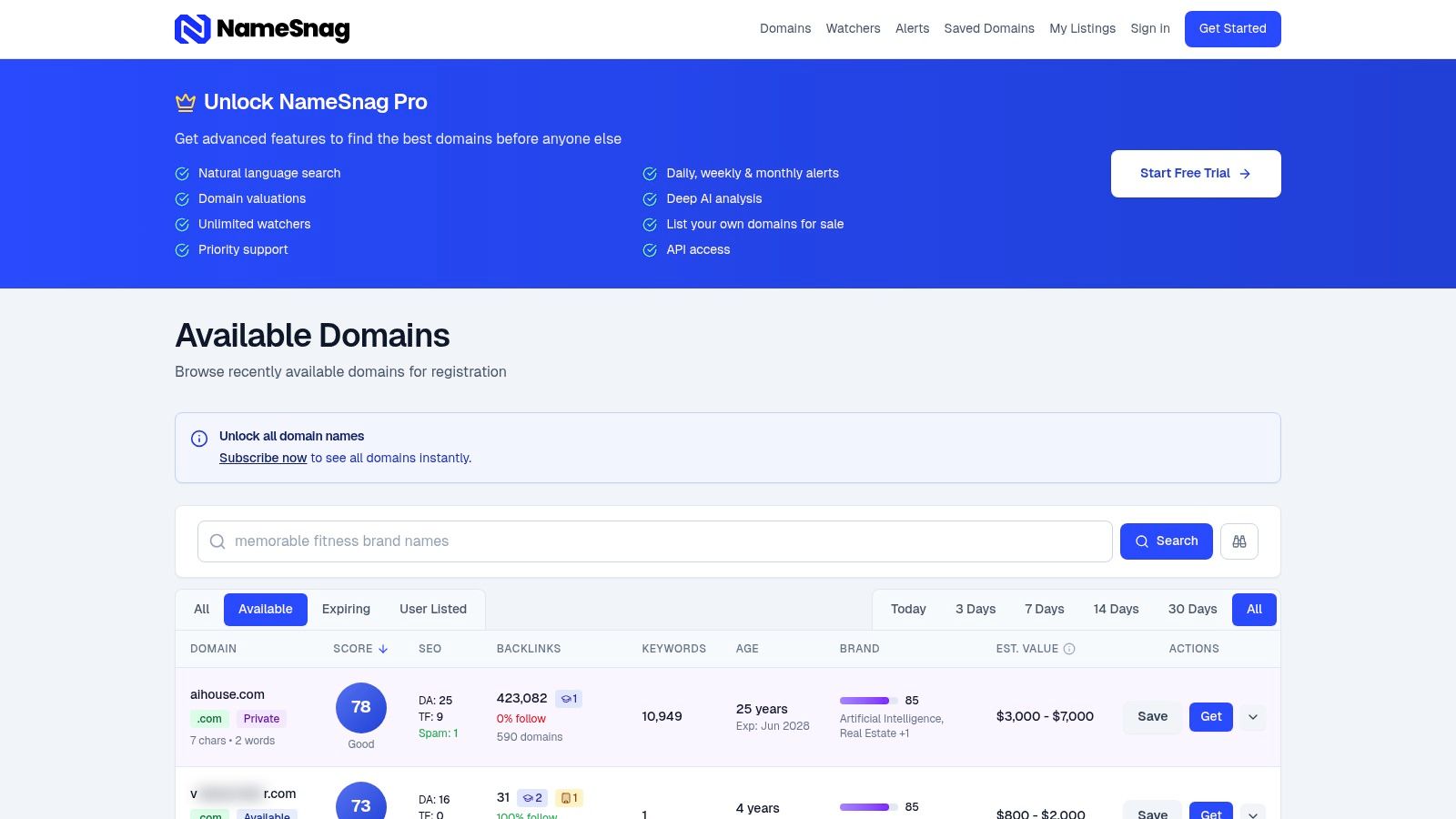
If you want names you can register immediately, check Available domains. These are the names that have already dropped and can be grabbed at a registrar right now.
If you want a head start before they hit the open market, check Expiring domains. Those are still in the grace-period phase and often worth watching before everyone else piles in.
Both views let you narrow the time window. That matters because a clean domain from today’s list is a different hunting ground from a broad all-time dump of leftovers.
A simple investor decision table
| Domain situation | Usually smart | Usually dumb |
|---|---|---|
| Domain not found and unregistered | Check history first, then move fast if clean | Registering blindly because the name sounds good |
| Expiring but not dropped yet | Track it and prep your bid or backorder plan | Waiting until the crowd notices |
| Strong name with spam history | Pass unless you have a very specific rehab plan | Assuming the old links will help anyway |
| Weak name with clean history | Consider only if use case is strong | Hoping metrics will magically appear later |
| Confusing WHOIS age reset | Compare archive history and backlinks | Trusting the visible creation date at face value |
The edge comes from process, not vibes
People lose money in domains because they buy on emotion and justify with metrics later.
A better process looks like this:
- Spot the candidate
- Confirm whether it’s available or still in expiration flow
- Check archive history
- Review backlink quality and anchor profile
- Decide whether the use case is SEO, brand, resale, or none of the above
- Move quickly if it passes
- Walk away cleanly if it doesn’t
If you plan to compete for names before general availability, understanding how a backorder domain service works will save you from a lot of rookie mistakes.
The unwritten rule
The best buyers aren’t just fast. They’re selective.
Everyone wants “hidden gems.” Very few want to do the filtering. That’s why so many portfolios are full of names that looked clever in the moment and turned out to be liabilities. A domain not found page is only interesting if you can verify the asset behind the error.
The money is not in finding dropped domains. The money is in finding the rare ones worth keeping.
Your Domain Insurance Policy to Prevent Future Disasters
Most domain disasters are preventable. Not all of them, but enough that there’s no excuse for flying blind.
Treat your domain like critical infrastructure, because that’s what it is. If the name breaks, everything above it gets dragged into the mess.
The non-negotiables
- Enable auto-renew: This is basic, but people still skip it and then act shocked when the name expires during a card update.
- Use registrar lock: It adds friction to unauthorized transfers. Friction is your friend here.
- Keep account contacts current: If alerts go to an abandoned inbox, they may as well not exist.
- Separate responsibilities clearly: Know who handles registrar access, hosting, DNS, and billing.
- Monitor uptime and resolution: Waiting for a customer to tell you your domain is broken is amateur hour.
Change management matters more than people admit
A lot of outages come from “simple” DNS changes made casually on a Friday afternoon.
If you’re moving providers or changing edge infrastructure, use a proper migration checklist. This guide on how to move DNS to a new edge provider without causing downtime is a useful reference because it focuses on sequencing, verification, and rollback thinking.
Write down every DNS change before you make it. Future-you will need a witness.
A small checklist with big payoff
| Preventive action | Why it matters |
|---|---|
| Auto-renew enabled | Stops the dumbest kind of outage |
| Secondary payment method | Reduces billing surprises |
| Registrar lock active | Helps prevent transfer headaches |
| Shared credential policy | Avoids one-person bottlenecks |
| Monitoring alerts on | Cuts response time when things break |
| Change log maintained | Makes troubleshooting far easier |
A domain usually doesn’t fail out of nowhere. Somebody missed a renewal, changed the wrong record, lost access, or pushed a migration without discipline. Prevention is boring, but boring is profitable.
Frequently Asked Questions About Domain Errors
Can DNSSEC make a valid domain look nonexistent
Yes.
This is one of the more annoying edge cases because the domain can be registered and otherwise fine, yet still return what looks like a domain not found outcome to strict resolvers. The verified data notes that DNSSEC adoption surged 28% globally in 2025, while misconfigurations caused 15% of resolution failures in Cloudflare’s 2026 DNS analytics. It also says 40% of “not found” tickets at major registrars stem from DNSSEC chains broken during nameserver changes. The practical fix is to validate signatures with tools such as DNSViz and then re-sign the zone in the registrar panel if needed (Google Developers troubleshooting reference for domains).
If a valid domain suddenly looks dead right after nameserver changes, DNSSEC deserves suspicion.
Why does the domain work in one place but not another
That’s usually caching, propagation, resolver differences, or regional infrastructure behavior.
One network may still hold old DNS data while another already sees the update. A local ISP resolver may behave differently from a public one. This is frustrating, but it’s normal enough that you shouldn’t declare the domain dead based on a single test location.
What’s the difference between a dropped domain and a domain that just won’t resolve
A dropped domain is no longer actively registered and may become available for fresh registration or auction flow, depending on timing and registrar path.
A non-resolving domain may still be fully registered. It might have bad DNS, broken hosting, a hold status, or a DNSSEC issue. Investors who confuse these two states either miss opportunities or buy problems they didn’t understand.
Why does the creation date look new on an older domain
Because drop-and-re-register events can reset the visible creation date.
That means a domain can look “young” in WHOIS while carrying an older backlink and content history. For SEO and investing, that’s why you never trust the current date field alone. Archive checks and backlink review matter more than the surface label.
Should I buy a domain just because it has old backlinks
No.
Backlinks can be valuable, but only when the domain’s prior use, anchor profile, and topical relevance hold up. Old links to a domain that spent time as spam can become a cleanup project instead of an asset. A domain with fewer but cleaner links often beats a messy one with louder metrics.
If my DNS records are correct, why can verification still fail
Because “correct” in the dashboard doesn’t always mean “publicly visible and properly formatted.”
Auto-appended record values, stale caches, delayed propagation, and DNSSEC mismatches can all create false confidence. This is why public verification matters more than what one control panel claims.
Is domain not found ever a good sign for investors
Sometimes, yes.
It can signal neglect, expiration, or a fresh drop before broader attention shows up. But it is only a good sign if the history is clean enough to justify the effort. The error itself has no value. The asset behind it might.
If you want to stop guessing and start finding clean opportunities faster, NameSnag is built for exactly that job. It helps you sift through expired and expiring domains without wasting hours on junk, so when domain not found turns out to be an opening instead of a disaster, you can act on it.
Find Your Perfect Domain
Get access to thousands of high-value expired domains with our AI-powered search.
Start Free Trial