
You buy a domain, or win one, or finally decide to move a good asset out of GoDaddy. You assume this will be a quick checkbox and a copy-paste. Then GoDaddy drops you into a maze of locks, verification prompts, and vague status labels that feel designed by a committee that’s never transferred a domain in a hurry.
That’s the bad news.
The good news is that the actual GoDaddy domain release process is simple once you know which parts matter, which parts are harmless noise, and which “small updates” can subtly wreck your timing. If you’re transferring a single brandable name or moving a stack of domains to another registrar, the playbook is the same. Check eligibility first, avoid triggering a fresh lock, release the domain, grab the auth code, then start the transfer from the receiving registrar.
So You Snagged a Great Domain Now How Do You Free It
The usual sequence goes like this. You find a domain you want to keep, build on, or flip. You log into GoDaddy thinking you’ll move it out in a few minutes. Then you hit Domain Lock, 2-step verification, maybe Domain Protection, and suddenly the whole thing feels more serious than it should.

That confusion is normal. Registrar locks are supposed to slow people down. They exist to stop theft and unauthorized transfers, not to make your life pleasant.
The first question is whether the domain can move at all
Before you click anything, check whether you’re even eligible to transfer. The biggest roadblock is the 60-day transfer lock. GoDaddy enforces this as an ICANN-mandated policy, and it applies after initial registration, after a prior transfer, or after certain registrant changes, according to GoDaddy’s domain lock policy. That same policy note says GoDaddy manages over 84 million domains as of 2025, which helps explain why they automate this aggressively.
Here’s the practical version:
- Newly registered domains can’t be transferred out right away.
- Recently transferred domains can’t be transferred again right away.
- Registrant detail changes can trigger the same problem if you do them at the wrong time.
Practical rule: If you’re trying to transfer and the domain is “too new” in one of those ways, no amount of dashboard clicking will save you.
Often, people waste time. They assume the transfer protection toggle is broken, or the auth code screen is glitching, when the actual issue is that the domain is not transferable yet.
Lock status and transfer eligibility are not the same thing
A lot of users mix these up. Domain Lock is the setting you can often turn on or off inside GoDaddy. Transfer eligibility is the bigger rule set sitting above that. You can turn off the domain lock for a domain and still be blocked from transferring if one of those ICANN timing rules applies.
That distinction matters because it changes what you do next:
- If the domain is eligible, proceed.
- If it’s not eligible, stop touching things.
- Use the waiting time to prepare the receiving registrar account and verify you’ll be able to approve transfer emails.
The cynical but accurate way to think about this is that GoDaddy’s interface shows you controls, but policy decides whether those controls are effective. Once you accept that, the whole process gets much less annoying.
Your Pre-Transfer Checklist Before You Touch That Lock
Most transfer failures don’t start at the release screen. They start earlier, when the owner makes a “quick update” that creates a fresh obstacle. If you want this to go smoothly, treat the period before transfer like a freeze window. Don’t clean things up. Don’t reorganize contact details. Don’t poke random settings because you’re feeling productive.
What to verify before you do anything
Start with the boring stuff, because the boring stuff decides whether the transfer finishes.
- Check account access: Make sure you can log into GoDaddy without friction and complete any security prompt it throws at you.
- Check your email access: You need access to the domain contact or account email that will receive transfer-related messages.
- Confirm the domain is the right one: This sounds obvious until someone releases the wrong domain in a portfolio.
- Look at security add-ons: If Domain Protection or account-level verification is enabled, expect an extra approval step.
The mistake I see most often is changing contact information right before transfer. That feels sensible. It often isn’t. If your details are wrong, fix them well before you plan to move the domain, not minutes before. Timing matters more than neatness here.
If a transfer matters, stop “improving” the domain settings the same day you plan to move it.
What not to change at the last minute
Two settings create more drama than they’re worth when touched at the wrong time.
First, registrant information. If you’re in transfer mode, avoid changing owner-related details unless you absolutely have to.
Second, DNS and nameserver settings. If your website or mail depends on the current setup, document it before you begin. If you need help sorting that side of the account, Feather’s guide on mastering GoDaddy domain configuration is a useful reference because it helps you separate transfer tasks from configuration tasks. Mixing them is how people create downtime and then blame the registrar.
If you’re also planning DNS changes, handle them deliberately. This walkthrough on changing nameservers in GoDaddy is worth reading before you make unrelated edits during a transfer window.
A simple pre-flight decision filter
Use this quick filter before proceeding:
| Check | Good to go | Pause and fix later |
|---|---|---|
| Account access | You can log in and verify identity | You’re locked out or missing verification access |
| Email access | You control the approval inbox | You no longer use that inbox |
| Registrant changes | No recent owner-detail edits | You just changed registrant info |
| Security prompts | You can complete them | You can’t receive codes or approvals |
That’s not glamorous, but it works. People want transfer problems to be technical. Most of the time they’re administrative. Clean admin access beats frantic troubleshooting every time.
The Great Escape Unlocking Your Domain and Getting the Code
You log into GoDaddy planning a quick transfer. Twenty minutes later, you have three tabs open, a security prompt you did not expect, and no EPP code. That is the point where sloppy process starts costing money. If this domain has age, backlinks, rankings, or buyer interest attached to it, your job is simple. Change only what is required to get it ready for transfer and pull the code.
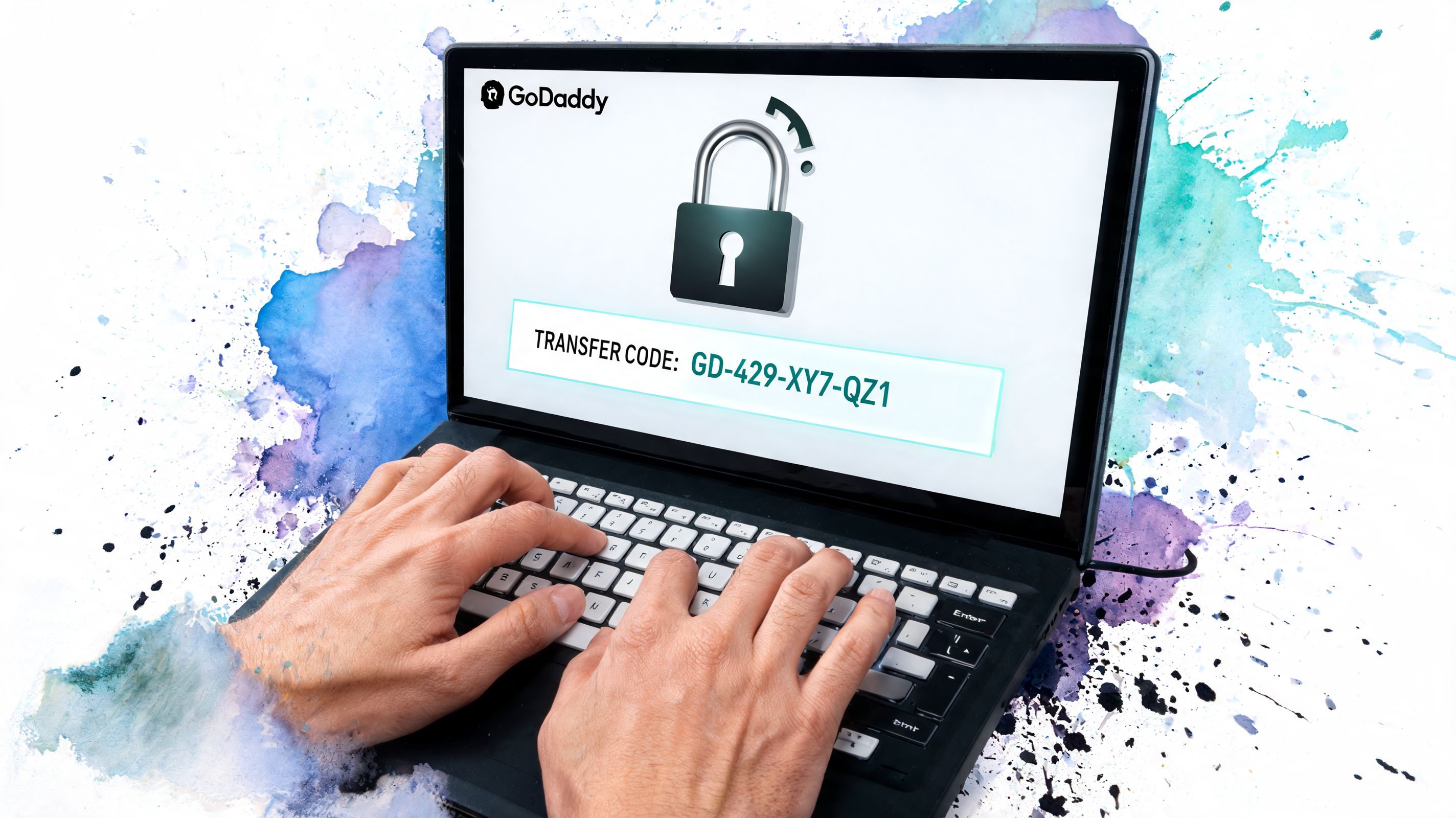
According to HostPapa’s walkthrough of preparing a GoDaddy domain for transfer, the path is straightforward: log in, open your Domain Portfolio, select the domain, go to Domain Settings, switch Domain Lock from On to Off, complete identity verification if Domain Protection or 2FA is active, then click Get Authorization Code.
Work through the dashboard with one goal
Open GoDaddy, go to My Products or Domain Portfolio, and select the domain you are moving. Go into the domain settings page and find Domain Lock. GoDaddy likes to reshuffle labels, but the control is always there somewhere.
Your sole focus should be turning Domain Lock off.
Do not start fixing contact records, forwarding, privacy settings, or nameservers while you are in there. I have seen good domains get delayed because someone treated a transfer like a general account cleanup. For investors and SEOs, that is a bad habit. Extra edits create extra review triggers, and review triggers slow transfers.
Expect friction if the account has security turned up
If Domain Protection or 2FA is enabled, GoDaddy may stop you for another approval step. Annoying. Normal. Sometimes justified. Sometimes pure registrar theater.
The common failure points are predictable:
- SMS lag: the code arrives late, then a second request creates confusion
- Authenticator mistakes: wrong device, wrong app, wrong account
- Recent security changes: GoDaddy may slow sensitive actions after account updates
If verification is messy, fix that first. Do not submit the inbound transfer at the new registrar until GoDaddy is cooperating. The lock being off only gives you permission to request the code that makes the transfer happen.
Get the auth code right away
Once the lock is disabled, click Get Authorization Code. Copy the EPP/Auth code exactly as shown and save it somewhere secure. If GoDaddy sends it by email instead of displaying it on screen, check the correct inbox before assuming the request failed.
The avoidable mistakes here are always the same:
- Copying the code with an extra space.
- Generating another code and pasting an older one into the new registrar.
- Leaving the session before grabbing the code, then coming back later and forgetting what was done.
If you are reorganizing your account after the move, read this guide on deleting a domain from GoDaddy after a transfer. It will keep you from removing the wrong thing or doing cleanup in the middle of an active transfer.
Here’s a visual walkthrough if you prefer to watch someone do it instead of reading another menu path:
What works in practice
The reliable sequence is boring, which is why it works:
- disable the lock
- finish the security check
- request the auth code immediately
- store it in a password manager or secure note
- start the transfer at the gaining registrar the same day
That timing matters more than beginner guides admit. If you wait, sessions expire, inboxes get missed, codes get mixed up, and internal teams start making unrelated changes to a domain that should have been left alone. Keep the process tight and finish your side in one sitting.
Power Moves Unlocking GoDaddy Domains in Bulk
If you manage more than a handful of domains, manual domain releases turn into death by dashboard. Clicking one domain at a time is fine when you’re moving a single asset. It’s a bad habit when you’re running a portfolio, cleaning up acquisitions, or migrating names after a buying spree.
The serious move is bulk processing.

According to DNSimple’s write-up on preparing a transfer from GoDaddy, users can log into GoDaddy’s Domain Manager, multi-select up to 200 domains, and use Release Domains for bulk actions. The same source notes you can use Exportable Lists to generate a CSV containing auth codes, and that the export process can handle over 10,000 records in seconds.
Why bulk is the only sane option at scale
If you’re moving a portfolio, the benefit isn’t just speed. It’s consistency. Bulk actions reduce the odds that you forget one domain, skip one auth code, or create weird timing gaps between names that should travel together.
Here’s where bulk workflows pay off:
- Registrar consolidation: You want all assets under one roof.
- Agency cleanup: Client domains are scattered and need to be normalized.
- Sales prep: You’re packaging names and need transfer-ready records.
- Portfolio pruning: You’re moving keepers and selling off the rest.
This is also where GoDaddy’s interface becomes less charming. Bulk tools exist, but they’re not always where you expect, and the wording changes over time. That doesn’t change the underlying strategy.
The bulk workflow that avoids wasted motion
Use this order:
- Multi-select the domains you intend to move.
- Run the Release Domains action in one batch.
- Confirm statuses before doing anything else.
- Export auth codes in one pass.
- Match the exported data to your destination registrar list.
That last step matters. Bulk exporting codes is useful only if you can still tell which code belongs to which name. People love creating giant CSVs and then treating the cleanup as “future me’s problem.” Future you hates that.
Bulk transfer prep is an operations task, not a treasure hunt. Label everything while it’s fresh.
If you’re managing larger portfolios inside GoDaddy already, this breakdown of GoDaddy bulk appraisal workflows is helpful context because it mirrors the same portfolio mindset. Once you stop thinking one-domain-at-a-time, your process gets faster and less error-prone.
What bulk doesn’t fix
Bulk tools don’t override individual domain restrictions. If one domain in the batch has a transfer issue, that domain still has a transfer issue. Bulk also doesn’t save you from email approval chaos if your records or inbox access are sloppy.
So yes, use bulk. But use it like an operator, not like a gambler. Batch the domains, document the outputs, and verify each exception before you hand the transfer stack to another registrar.
Houston We Have a Problem Common Transfer Errors and Fixes
Most GoDaddy transfer issues look mysterious until you strip them down to cause and effect. The error message is usually vague. The fix usually isn’t.
Common GoDaddy Transfer Errors and Solutions
| Error/Symptom | Likely Cause | The Fix |
|---|---|---|
| Unlock option is grayed out | The domain isn’t eligible for transfer or the account has an unresolved security requirement | Check whether the domain is under a transfer restriction, then complete any pending account verification |
| You unlocked it, but the transfer still won’t start | The domain is unlocked, but another requirement is still missing | Confirm you also retrieved the auth code and started the transfer from the receiving registrar |
| Auth code email never arrives | You’re watching the wrong inbox, or the message is delayed or filtered | Check the account email and spam folder, then request the code again carefully |
| Auth code is rejected | You copied it incorrectly or used an outdated code | Generate a fresh code and paste it cleanly without extra spaces |
| Transfer feels stuck after initiation | One of the approval steps is still pending | Check both the receiving registrar notifications and GoDaddy transfer-related emails |
| Security prompt keeps blocking progress | 2FA or Domain Protection approval isn’t completing | Fix the verification method first, then return to the transfer |
The patterns behind the pain
There are really three buckets of failure.
First, eligibility problems. These aren’t bugs. They’re policy constraints. You don’t troubleshoot your way around them.
Second, identity problems. You can’t receive the code, can’t access the inbox, or can’t satisfy the security prompt. This is the most common category in practice.
Third, sequence problems. People do the right things in the wrong order. They enable transfer but don’t get the code. They get the code but never initiate the transfer. They initiate the transfer but miss the approval email.
The transfer usually breaks where account access, email access, and timing intersect.
The fastest way to debug is to ask one question at a time. Is the domain eligible? Is its transfer lock removed? Do I have the current auth code? Did I start the transfer at the new registrar? Which approval step is still pending? Run that checklist in order and most “mysterious” failures stop being mysterious.
The Waiting Game and Initiating Your Transfer
Once your domain is prepared for transfer and the auth code is in hand, GoDaddy’s part is only half done. A lot of people stop here and assume the domain is now drifting toward the new registrar on its own. It isn’t. You still have to initiate the inbound transfer from the registrar you’re moving to.
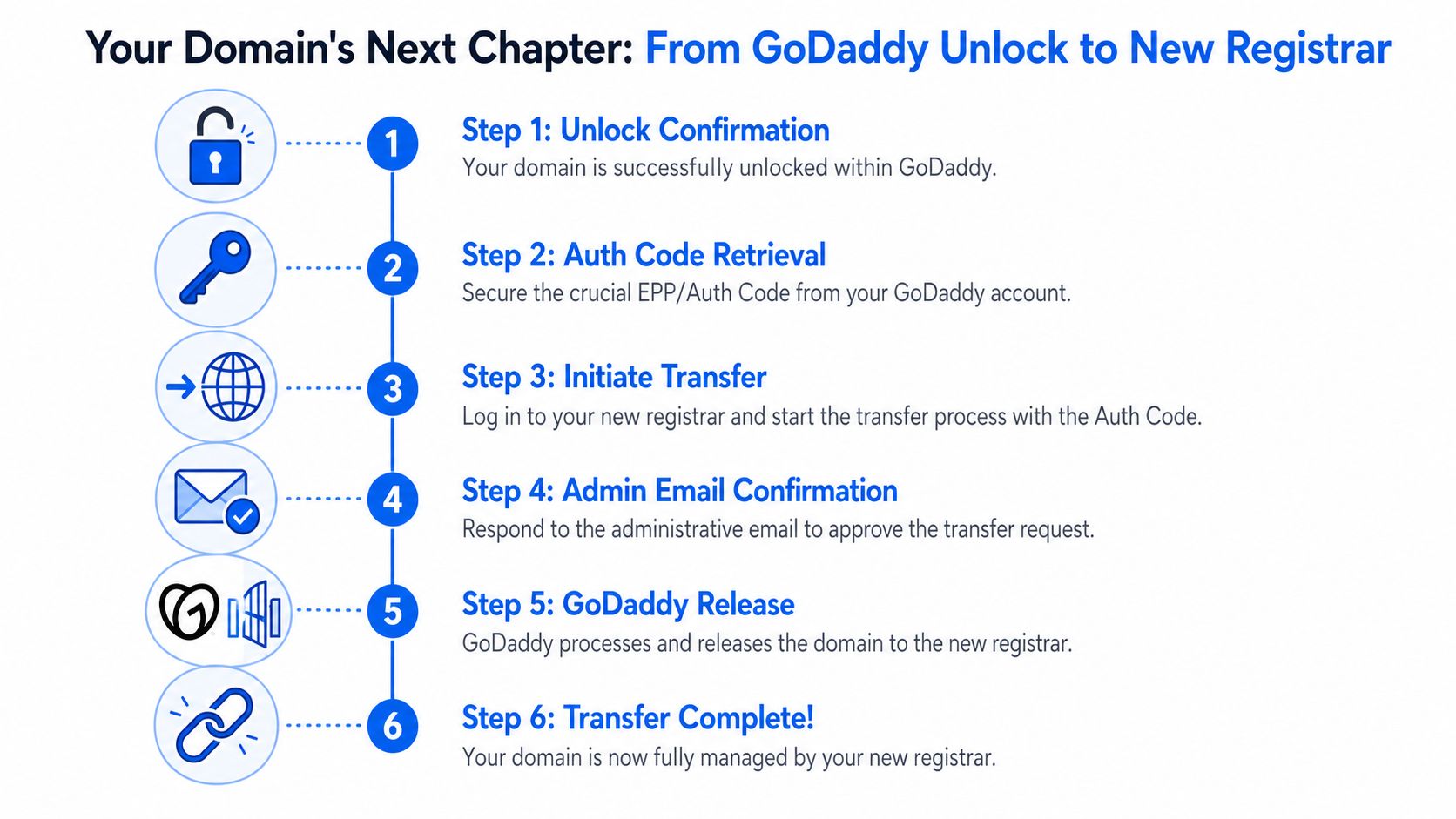
What happens after you leave GoDaddy
Go to the receiving registrar, choose its transfer option, enter the domain, and paste the auth code when prompted. From there, watch your email closely. Approval requests tend to be the part people underestimate, then miss.
The transfer path usually looks like this:
- Release confirmed: Your domain is no longer blocked by the registrar lock setting.
- Auth code submitted: The receiving registrar now has what it needs to request the move.
- Email approval: Someone needs to approve something, and that someone is usually you.
- Registrar release: GoDaddy processes the outgoing transfer.
- Completion: The domain lands at the new registrar and appears in your account there.
Don’t panic during the quiet period
Impatience frequently causes bad decisions. People see no movement for a bit and start toggling settings again, requesting new codes, or opening support chats they didn’t need.
Leave the domain alone unless you’ve identified a specific missing approval step. If your website is tied to the domain, monitor service, but don’t confuse normal transfer waiting with a DNS emergency.
A practical way to think about it is simple. The GoDaddy domain release step is mechanical. The transfer completion step is administrative. Once you’ve handed the auth code to the new registrar, your job becomes approval and patience.
If you’re done moving domains and want the next good opportunity, NameSnag is a strong place to look. You can browse available domains that just dropped for immediate registration or track expiring domains that are still in the grace period. The time filters are useful when you want fresh inventory without digging through stale lists.
Find Your Perfect Domain
Get access to thousands of high-value expired domains with our AI-powered search.
Start Free Trial