
So, you're thinking about canceling your GoDaddy domain? Whoa there, let’s pump the brakes for a second. Before you click that final confirmation button, it’s mission-critical to understand what you’re actually doing—and what you're not doing.
This isn't just about removing a name from your portfolio. It has real consequences for your brand, your site's SEO, and even your wallet.

The first thing you need to grasp is that "canceling" a domain on GoDaddy really just means you're turning off the auto-renew feature. You’re simply letting it die a natural death when the registration period is up. There's no big red "delete forever" button for a single domain.
This is a world away from deleting your entire GoDaddy account, which is a scorched-earth move that nukes all your products and services.
Making this distinction is the key to avoiding some all-too-common headaches. You don't want to accidentally lose a potential refund or, worse, kill your company's email because you decided one domain wasn't worth keeping. Think of it as a pre-flight check before you make a move you might regret.
Canceling a Domain vs Deleting Your Account
Understanding the difference between these two actions is the absolute first step. One is a surgical strike on a single asset; the other is a full demolition of your entire GoDaddy presence.
Key Takeaway: Letting a single domain expire will not impact your other GoDaddy services or your account status. Deleting your account, however, is a permanent action that affects everything you own with the registrar.
It’s a simple concept, but the consequences of mixing them up can be massive. Here’s a quick table to make it crystal clear.
Canceling a Domain vs Deleting Your Account
| Action | What It Affects | Is It Reversible? | Best For |
|---|---|---|---|
| Canceling a Domain | Only the specific domain name you select. | Yes, during the grace period (usually for a fee). | Getting rid of an unwanted domain without affecting other services. |
| Deleting Your Account | All domains, websites, emails, and other products. | No, this action is permanent and cannot be undone. | Completely leaving the GoDaddy platform for good. |
As you can see, these are two very different paths with very different outcomes. Choose wisely.
The Domino Effect of Cancellation
When you let a domain expire, it doesn't go quietly. It takes everything connected to it down with it.
If you have a live website on that domain, it will go offline. If you have custom email addresses tied to it—like hello@yourdomain.com—they will stop sending and receiving. Any other services pointing to that domain name will simply cease to function.
This is exactly why a quick audit is so crucial before you pull the plug. Make sure you've backed up any website data, migrated any important email inboxes, and have a plan for your communications. You don’t want your entire business to unexpectedly go dark.
For domains that have been around for a while, it's also smart to check the domain's history to see if it has any built-up SEO value or a clean backlink profile you might be throwing away.
Ultimately, letting a domain expire is a simple process. But if you’re not prepared, the fallout can be a major headache. A few minutes of review now can save you hours of panic and frustration later.
A Guided Walkthrough to Canceling Your GoDaddy Domain
Okay, so you've decided to let that domain go. It happens. Maybe the project fizzled out, or it’s just not pulling its weight in your portfolio anymore. Let's walk through the actual clicks inside your GoDaddy account. This isn't some generic help doc; this is how to get it done without getting tripped up by their interface.
First thing’s first, get logged into your GoDaddy account. You'll land on your dashboard, but you need to head over to your Domain Portfolio. This is your command center for everything you own.
If you’re a domain investor or a marketer with a long list of names, don't waste time scrolling. The search bar is your best friend here. Just pop in the domain you're axing to pull it up directly.
Once it appears, click on the domain name itself. This opens up its dedicated settings page where all the individual controls live.
Finding the Cancellation Setting
Now, you might be looking for a big, red "Cancel Domain" button. Spoiler: it doesn't exist. In GoDaddy's world, "canceling" is just a matter of managing your subscription.
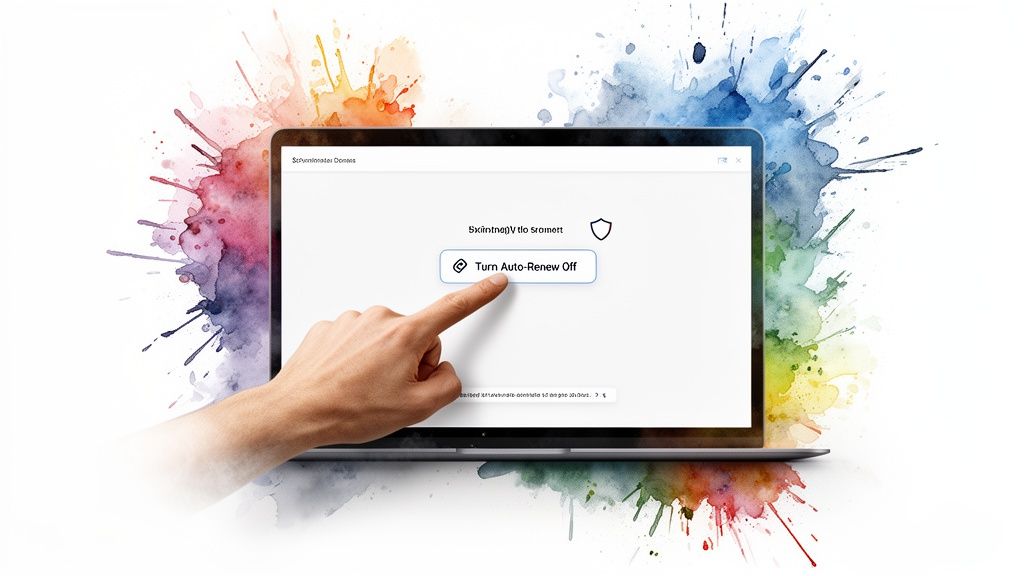
Scroll down the page until you find the "Billing" section. You’ll see the expiration date listed, and right near it, a link or button that says "Turn Auto-Renew Off". That's your target.
Clicking it kicks off a little dance. GoDaddy will, of course, try to convince you to stay, showing you what you'll lose and maybe even throwing a last-minute offer your way. If you're sure, just click through the confirmations. You'll have to check a box or two acknowledging that yes, you understand the domain will expire and you won't be charged again.
Insider Tip: If you have Domain Protection on the domain, be prepared for an extra hoop. GoDaddy will make you verify your identity, usually by sending a code to your registered email. It's a pain, but it's also a solid security feature that stops someone from maliciously (or accidentally) killing your valuable assets.
Finalizing the Cancellation
Once you've navigated the confirmation screens, you’ll land back on the domain settings page. You should see the status has updated to show that auto-renew is now off. A confirmation email will hit your inbox shortly after.
And that's it. You're done.
You haven't deleted the domain—you've just told GoDaddy to stop billing you for it. It will keep working perfectly fine until its expiration date. After that, it'll go into a grace period and then, eventually, be released back into the wild for someone else to register as one of the newly Available domains.
Let's talk about the one question that really matters: if you cancel a domain, do you get your money back? The short answer is a classic... maybe. GoDaddy's refund policy isn't some blanket guarantee; it's a ticking clock. Your shot at a refund depends almost entirely on when you pull the trigger.
Think of it this way: buying a domain isn't like buying a t-shirt you can just return next month if you change your mind. The rules are much, much stricter. If you just registered a brand-new domain and immediately notice a typo, you're in a decent spot. But if you’re trying to get a refund for a name you've held for ten months, you can pretty much forget about it.
Knowing the specific timelines is the key. It's the difference between getting your cash back and just chalking it up as a business expense.
Decoding the Refund Windows
The most critical factor here is what kind of purchase you made. The window for getting your money back changes drastically depending on whether it was a fresh registration, a renewal, or something else entirely.
For a brand-new, standard domain registration (like a .com or .net), you've got a short but crucial "buyer's remorse" period. This is your chance.
- New Registrations (1-year): You typically have 5 days (120 hours) from the moment of purchase to get a refund.
- New Registrations (Multi-year): Same deal. The clock is still ticking for 5 days (120 hours).
- Manual Renewals: Usually refundable within 5 days (120 hours) of when you paid for the renewal.
- Auto-Renewals: The rules get a bit weird here. The window is often 45 days, but it's after the domain has already expired and been automatically renewed by the system.
Crucial Insight: The refund period starts from the exact moment of the transaction, not when you get around to canceling. If you buy a domain on Monday at 9 AM, your 5-day window is up on Saturday at 9 AM. Don't procrastinate on this.
It's also worth noting how you paid. A refund back to your credit card might take a few business days to show up. If you opt for in-store credit, it's often available a lot faster, which can be useful if you're just planning to buy another domain anyway.
What Happens When You Get No Refund
If you miss that refund window, the outcome is simple: you've paid for the domain for its full term. The money's gone. Even if you shut off auto-renew, you own that domain—to use or not use—until it expires.
In this scenario, don't just let the domain gather digital dust. You spent money on it, so try to get some value out of it. You could try selling it on a marketplace or simply redirecting its traffic to one of your other projects.
Of course, letting it expire is a perfectly valid choice. It just means the money you spent provides zero future return. If you're letting an old domain go because you've found a better one, this is the perfect time to start hunting for freshly Available domains that have just dropped and are ready to be scooped up.
The Aftermath: SEO Impact and the Expiration Clock
So, you've clicked the button and turned off auto-renew. It might feel like the end of the line for that domain, but in reality, its journey is just getting interesting. What happens next has huge implications for its SEO value and, for savvy domain hunters, determines exactly when it hits the open market.
Think of it like this: when a domain with a website attached to it expires, all the authority it has painstakingly built up over the years doesn't just gently fade away. It plummets. Search rankings, backlinks, organic traffic—it all goes up in smoke. That hard-won link equity vanishes, and eventually, Google will de-index the pages, leaving behind a trail of 404 errors for any poor soul trying to visit.
For a marketer, that’s a nightmare. But for a domain investor? It’s an opportunity. One person's canceled domain is another person's digital real estate gold.
The Domain Expiration Lifecycle
Once a domain sails past its expiration date, it doesn't just pop back into the public pool for anyone to grab. It enters a slow, multi-stage wind-down that can last for months. Getting a handle on this timeline is crucial, whether you’re scrambling to reclaim a domain you let go by mistake or you’re waiting to pounce on a good one.
Here’s how it usually plays out:
- Grace Period: This is your first, and cheapest, shot at getting the domain back. Right after it expires, it enters a grace period. At GoDaddy, this typically lasts 18 to 26 days. The original owner can renew it during this window for the standard renewal fee. No harm, no foul.
- Redemption Period: Missed that window? Now it gets painful—and expensive. The domain is now in redemption for about 30 days. You can still recover it, but you'll be hit with a hefty redemption fee on top of the renewal cost. We’re talking well over $100, easily.
- Pending Delete: Once the redemption period is over, the door slams shut. The domain moves into a "Pending Delete" status for around 5 days. At this point, it’s locked down. Nobody can renew it, nobody can touch it. It’s just waiting in limbo to be released.
After that final phase, the domain "drops" and becomes available for registration again on a first-come, first-served basis. If you want to get into the nitty-gritty of these timelines, you can learn more about when a domain truly expires.
This timeline gives you a sense of how the cancellation decision connects to GoDaddy’s refund policy—which is a completely separate process.
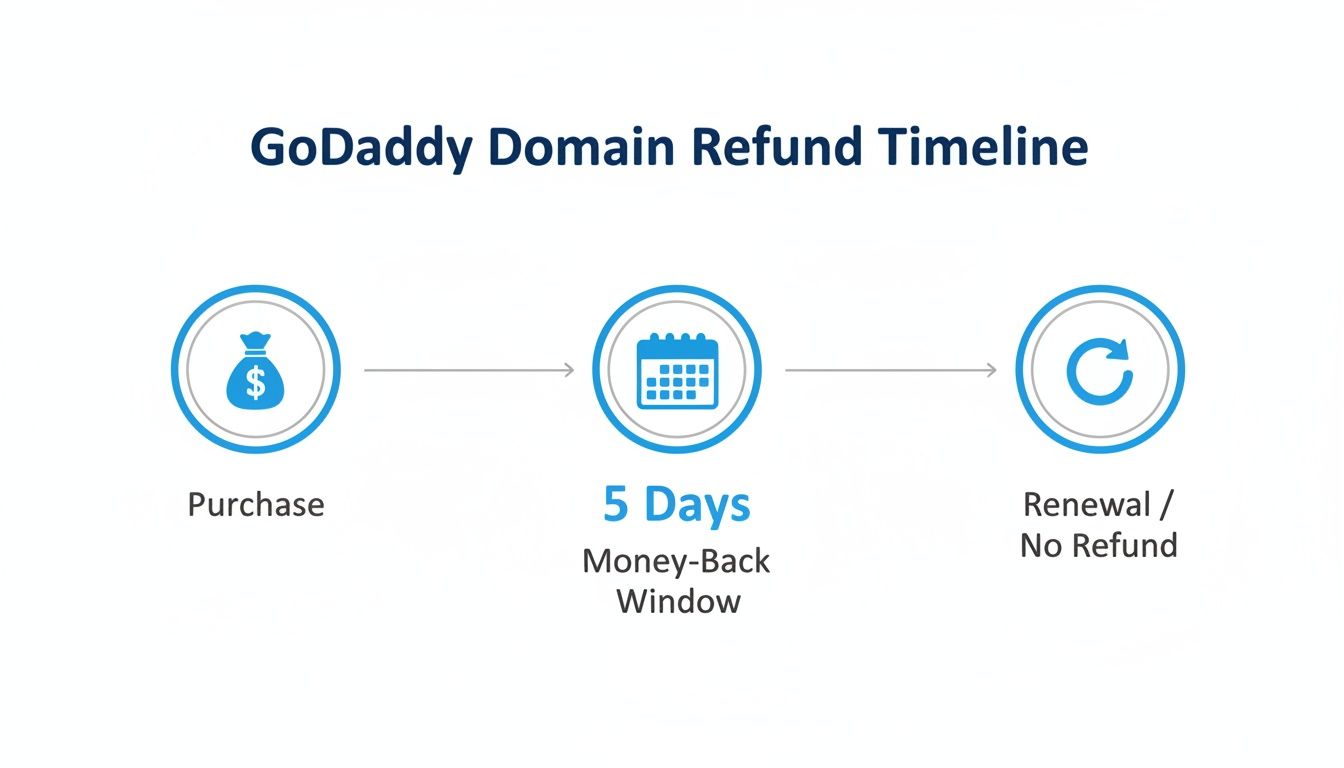
The key takeaway is that any chance of a refund happens in a tiny window right after you buy the domain, long before the whole expiration cycle even kicks off.
Capitalizing on Expiring Domains
For domain investors and SEOs, this whole expiration process isn't a problem; it's a goldmine. A domain that’s been around for years and has a solid backlink profile can give a new project an incredible head start. Why build authority from scratch when you can just acquire a domain that already has it?
This is precisely why that domain you just let go might be a valuable asset for someone else. They can track it through the expiration cycle and be ready to snatch it up the second it drops. And you can do the same. By monitoring expiring domains, you can build a watchlist of names about to become available, giving you a strategic edge in acquiring assets with a history of SEO authority already baked in.
Hold on. Before you hit that cancel button on your GoDaddy domain, let's have a real talk. Are you absolutely sure that’s the smartest play?
Letting a domain just fade into the ether can be like throwing out a winning lottery ticket you never bothered to check. What feels like a dead-end project to you might just be an undervalued asset waiting for the right strategy.
Instead of settling for a $0 return, let’s explore a few ways to turn that annual expense into something more useful—and maybe even profitable.
Sell It on a Marketplace
If your domain has any history at all—a bit of traffic, a few backlinks, or even just a cool, brandable ring to it—selling is almost always a better move than canceling. I've seen it a hundred times: one person's failed project is another's perfect brand.
List it on a marketplace like GoDaddy Auctions, Afternic, or Sedo. This flips an annual cost into a potential one-time payday. Even a quick sale for $50 or $100 is infinitely better than getting nothing back. Seriously, spend five minutes searching for what similar names have sold for. You might be surprised.
Redirect the SEO Juice
Here’s a move that’s pure leverage, especially if the domain has any SEO authority. If you have another website, blog, or project, setting up a permanent 301 redirect is a brilliant way to funnel all that domain's "link juice" and direct traffic over to your main hustle.
This tells search engines the old domain has permanently moved, effectively transferring its ranking power. It's a fantastic way to give one of your other sites a serious SEO boost out of nowhere. If you're not sure how to get started, you can forward a domain using Cloudflare to consolidate that authority without much fuss.
Transfer to a Cheaper Registrar
Sometimes the problem isn't the domain, it's the registrar. If you like the name but hate GoDaddy’s renewal fees, the answer isn't to cancel it. It's to move it. Transferring to a cheaper registrar can often slash your annual costs.
And if your domain is attached to an active website, don't just pull the plug. A professional WordPress migration service can move your site to a new host and handle the domain transfer as part of the process. This keeps your site online without interruption while saving you money in the long run.
Find a Better Domain Today
Maybe you’re letting this one go because you’re hunting for something better. Fair enough. But don't just sit around waiting for the perfect name to fall into your lap. This is your cue to get proactive.
Pro Tip: Instead of watching the clock on an expiring domain, focus your energy on what's available right now. Thousands of quality domains drop every single day, becoming instantly available for a standard registration fee.
Take a look at the newly Available Domains on NameSnag. These are names that just cleared the deletion process and are ready to be registered immediately.
This is where the real action is. You get a direct view of high-value domains that have just become available. By shifting your focus, you can find and lock down a superior domain without the waiting game.
A Few Questions You Probably Have About Canceling a GoDaddy Domain
Letting a domain go can feel a little nerve-wracking. Are you sure you want to do this? What happens next? It’s a process that brings up a ton of "what ifs." Let's walk through the most common questions I hear so you can pull the plug with confidence.
Can I Get My Domain Back After I Cancel It?
Yes, but the clock starts ticking the second it expires. Once you've turned off auto-renew and the expiration date passes, the domain enters a grace period. This usually lasts around 18-26 days, and during this window, you can renew it at the standard price. Think of it as a simple "oops" button.
After that, it falls into a redemption period for about 30 days. Getting it back now is still possible, but it gets expensive—often setting you back over a hundred dollars. If you miss both of those windows, the domain is released to the public. At that point, you’re back to fighting for it just like everyone else.
What Happens to My Website and Email?
The moment your domain expires, everything attached to it goes dark. Your website will stop working, showing an error page to any visitors. Just as critically, any custom email addresses tied to that domain will stop sending and receiving messages.
It's absolutely critical to back up your website and migrate your email accounts before the expiration date. Letting a domain expire without preparation is like pulling the plug on your digital headquarters without warning.
Will Letting a Domain Expire Hurt My GoDaddy Account?
Not at all. Letting a domain expire by simply not renewing it is a completely standard practice. This won't put a black mark on your GoDaddy account or hurt your relationship with them in any way.
Your account stays active, and you can keep managing other products or register new domains without a single issue. You’re just choosing to stop one specific service, and that’s perfectly fine. For a deeper dive into general domain-related questions, you can check out these domain management help resources.
Is It Better to Sell My Domain Than to Cancel It?
If your domain has any brand recognition, a trickle of traffic, or even just a memorable name, selling it is almost always the smarter financial move. Canceling a domain gives you a return of exactly $0.
Even offloading it for a small amount on a marketplace is a clear win compared to letting a potential asset just disappear into the ether. Don't throw away a potential profit, no matter how small you think it is. Your "canceled" domain could very well be someone else's treasure.
Instead of just letting a domain go, a smarter move is to hunt for its replacement. At NameSnag, we cut through the noise to find high-value domains. You can discover Available domains that have just dropped and are ready for immediate registration, or track valuable Expiring domains before they hit the open market. Find your next great domain today.
Find Your Perfect Domain
Get access to thousands of high-value expired domains with our AI-powered search.
Start Free Trial