
You open analytics, sip coffee, and nearly spit it back out. Organic traffic looks like it tripped down the stairs. At that moment, you type domain penalty checker into Google and hope for a giant green badge that says “all clear” or a giant red badge that says “you're doomed.”
That's not how this works.
A useful domain penalty check is less like a smoke alarm and more like a diagnosis. You're trying to figure out whether the site got hit by a manual action, got reevaluated by Google's systems, broke something technical, or inherited baggage from a previous owner. That last one matters a lot if you're shopping for expired or expiring domains. Buying a domain without checking its history is how you end up paying for someone else's SEO sins.
Are You in Google Jail or Just Having a Bad Day
The first thing to know is that “penalty” is often used too loosely. Some drops come from a real Google action. Some come from a broad algorithm update. Some come from mistakes your own team can fix before lunch, like accidental noindex tags, broken redirects, or botched migrations.
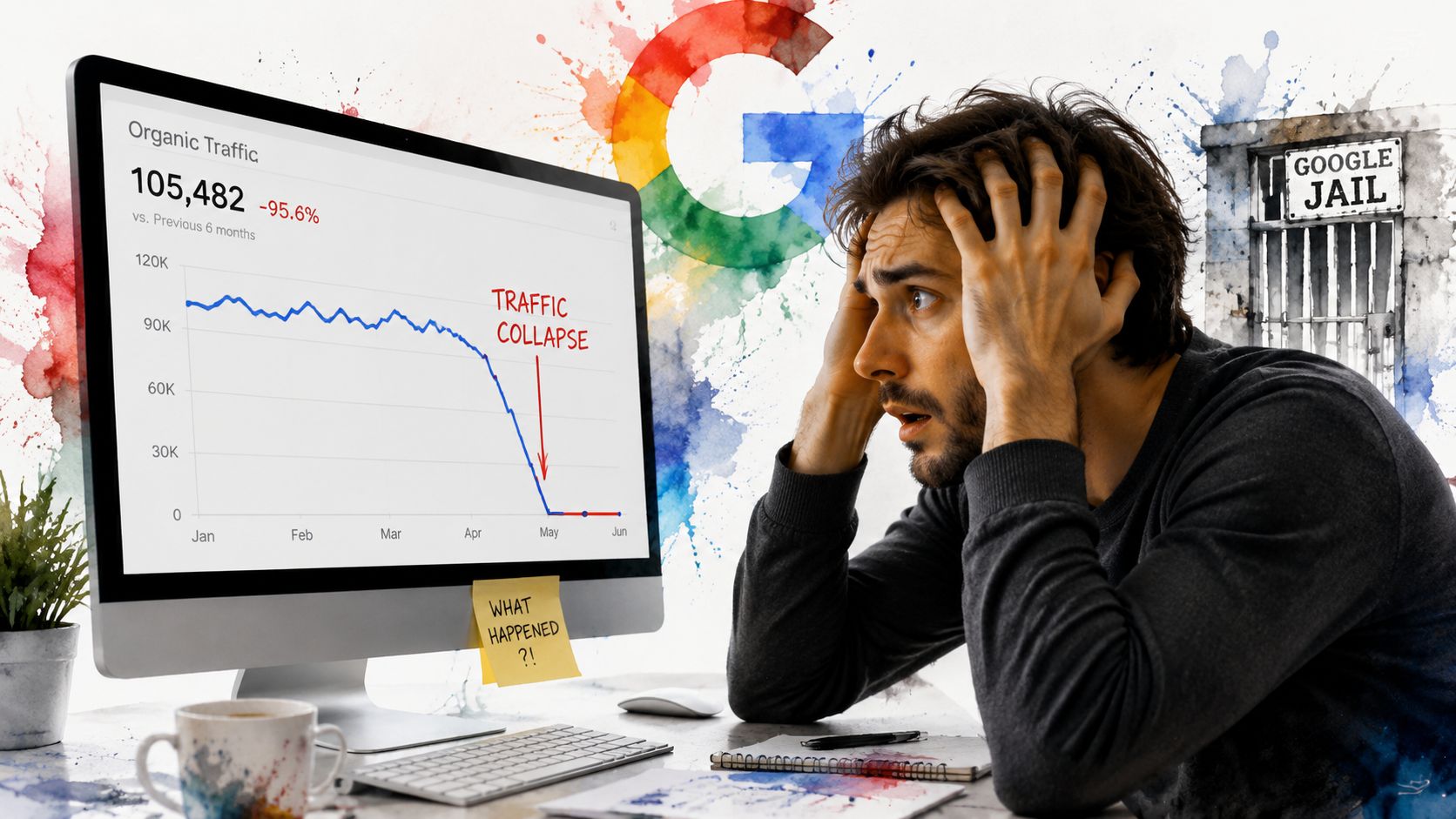
Google penalty conversations also get messy because the impact isn't always sitewide. As SISTRIX explains in its breakdown of Google penalty types, issues can be manual or algorithmic, and they can affect a single URL, a directory, or an entire domain. That's a big deal when you're evaluating a domain to buy. A bad folder or legacy section doesn't always mean the whole asset is unusable, but it does mean you need to inspect scope before you touch your wallet.
The three buckets to check first
When a site drops, I sort the situation into three possibilities:
- Penalty or spam issue. Google has taken action manually, or its systems have reevaluated the site negatively.
- Algorithm update impact. The site didn't “break rules” in a clean yes-or-no way, but it lost visibility after Google changed how it ranks content.
- Technical or local visibility issue. The site is fine in principle, but indexing, crawling, templates, or business profile problems are suppressing visibility.
If the issue is local rather than domain-wide SEO, this guide on how to troubleshoot business not showing up on Google is worth keeping handy. It helps separate map-pack and business listing issues from true domain-level search problems.
Practical rule: Don't call every traffic drop a penalty. First decide whether you're looking at enforcement, reevaluation, or a plain old site problem.
Why this matters before you buy
Most domain buyers make one big mistake. They look at a traffic graph, maybe glance at a backlink metric, and decide the domain is clean. That's risky.
A domain can look harmless on the surface and still carry legacy issues from thin content, duplicate page patterns, manipulative links, or old site sections that poisoned trust. If you only run a surface-level domain penalty checker, you're not really checking for risk. You're checking whether the mess is obvious enough to notice in ten seconds.
Spotting the Red Flags Your Domain is Shouting
If you own the site, start with Google's own signals before touching any third-party tool. If you don't own the site yet, use these same clues where you can, then move into historical and backlink checks.
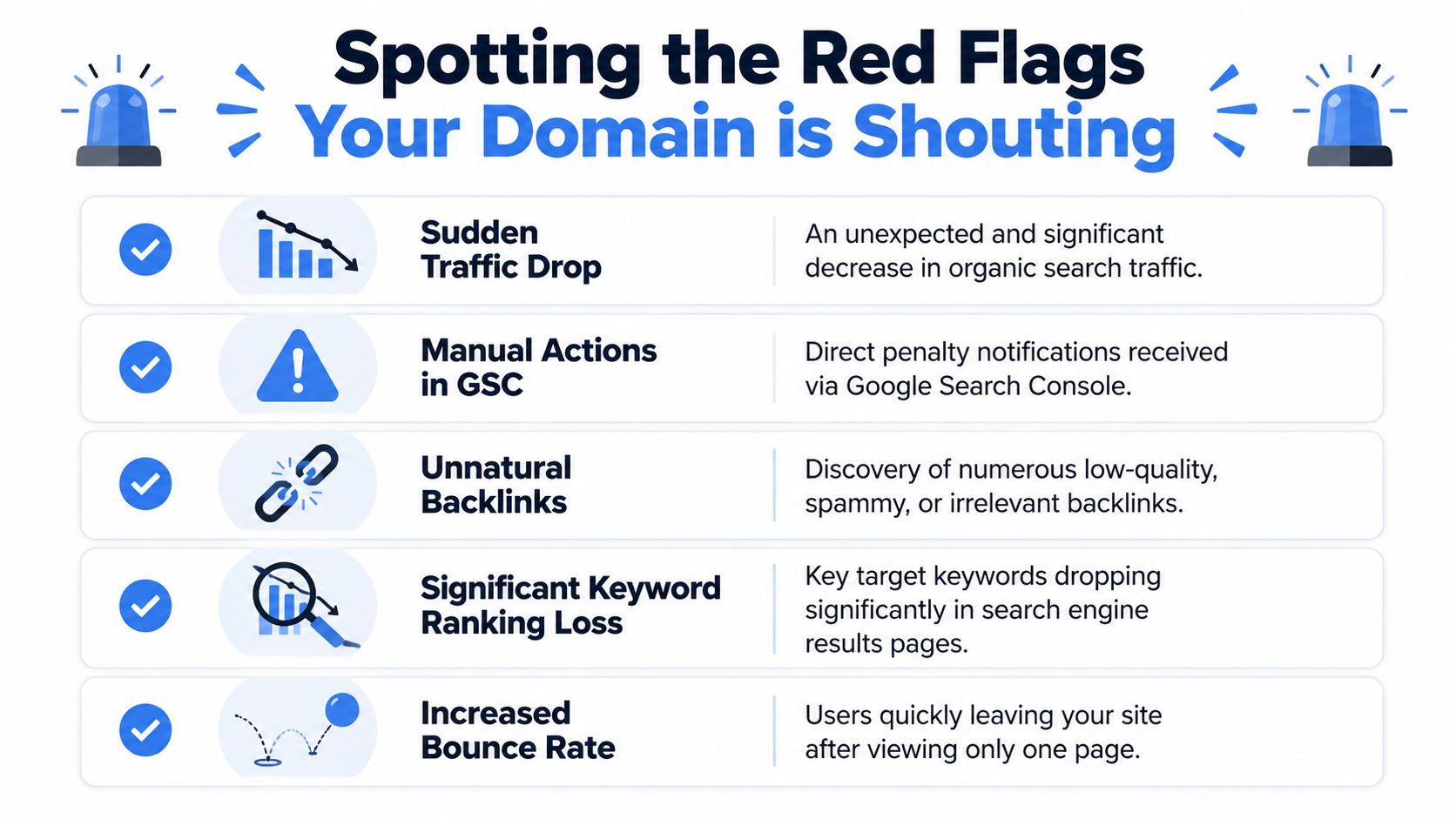
A solid workflow begins with Google Search Console. That's the cleanest place to confirm whether Google has taken a manual action. After that, compare the drop against known update dates. DomCop's guide on Google penalties notes that practitioners treat a decline that lines up with a core update as a strong signal of an algorithmic issue rather than random fluctuation.
The first-pass checklist
Use this in order. Don't jump straight to backlink panic.
Check Manual Actions in Google Search Console
If there's a manual action, Google tells you. Read the message carefully. It often points toward the category of problem, such as links or spam patterns.Open Performance reports
Look for sharp visibility loss rather than slow seasonal drift. A cliff-drop usually deserves immediate investigation.Compare branded and non-branded queries
If branded terms are still okay but non-branded terms collapse, that often points to ranking quality or trust issues rather than complete deindexing.Review index coverage and page status
If pages suddenly stop appearing, you may have an indexing problem, not a penalty.Check your backlink profile for junk clusters
If you start seeing lots of irrelevant, spammy, or manipulative links, that's a real warning sign. If you need a primer, this breakdown of toxic backlinks and what to do about them is a useful reference.
What the red flags usually look like
Not every bad metric means “Google penalty,” but some combinations should make you sit up straight:
- Sudden organic drop with no matching site change
- Keyword losses across important pages, especially outside your brand terms
- Manual action notice in Search Console
- Indexation weirdness, where pages disappear or only partial sections remain visible
- Spammy link patterns that don't fit the site's niche or history
A clean diagnosis starts with the signals Google gives you directly. Everything else is supporting evidence.
What not to overreact to
Some people see duplicate content and assume instant penalty. That's too simplistic. A domain can have messy duplication, parameter pages, or old archives without being under a neat binary “penalty” state. You still need to determine whether the content pattern is sloppy, manipulative, or just poorly managed. That distinction matters later when you decide whether a domain is fixable or radioactive.
Understanding Your Penalty Type Manual vs Algorithmic
A manual action is the version where someone at Google has effectively said, “we reviewed this and there's a problem.” An algorithmic hit is when Google's systems reassess the site and rankings fall because the site no longer clears the bar.
That's why I use the traffic-ticket analogy with junior SEOs. A manual action is a ticket handed to you by an officer. An algorithmic hit is a camera ticket that shows up later. Both hurt. The recovery process is not the same.
Side-by-side comparison
| Type | What it is | Typical clue | Recovery path |
|---|---|---|---|
| Manual action | Human-reviewed enforcement | Message in Google Search Console | Fix issue, document cleanup, submit reconsideration if applicable |
| Algorithmic issue | Automated reevaluation by Google's systems | Traffic or ranking loss without manual notice | Improve site quality, fix patterns, wait for reevaluation |
Duplicate content is not a magic “penalty” button
On this point, domain checkers often mislead people. Google said in its guidance that duplicate content is “not grounds for action” unless it is deceptive, and that search engines often cluster duplicate URLs and choose a representative version while consolidating signals. That point is summarized in Optimum7's discussion of domain penalty checking and duplicate content.
The catch is important. Google also warned against substantially duplicate pages spread across multiple pages, subdomains, or domains, especially in cookie cutter affiliate-style setups. So the core issue isn't “does any duplicate content exist.” The core issue is whether the domain's old content patterns look manipulative, thin, mass-produced, or built to game search.
What that means in practice
If you're evaluating an expired domain, ask these questions:
- Was the old site reusing content in a normal publishing way, or cloning near-identical pages across sections?
- Did the domain host affiliate pages that look templated and interchangeable?
- Was the site thin across most URLs, with little original value?
- Did the duplication support a manipulative setup across multiple domains or subdomains?
A good domain penalty checker isn't just looking for “penalty yes or no.” It's looking for patterns that resemble the kinds of setups Google distrusts.
Recovery is different for each type
Manual actions require proof of cleanup. You need to address the issue directly and explain what changed.
Algorithmic problems require patience after remediation. No apology form fixes them. You improve the content, links, and overall site quality, then wait for Google's systems to reassess the domain over time.
That difference matters before purchase too. A domain with a historical quality problem may be recoverable if the scope was narrow and the old junk can be replaced. A domain with deep manipulative history across content and links is often more trouble than it's worth.
Your Toolkit for Uncovering Hidden Domain Issues
If you already control the domain, your strongest tools are still free. Search Console tells you what Google is willing to tell you directly. Analytics helps you verify whether the damage is limited to organic search or part of a broader site issue.
For domains you don't own yet, the toolkit changes. You're moving from direct confirmation to informed inference.
The core stack and what each tool is good for
Here's how I think about the stack:
- Google Search Console for manual actions, indexing clues, and query-level visibility changes on properties you control
- Google Analytics for validating whether the loss is organic-specific or tied to a broader technical event
- Backlink tools like Ahrefs, Majestic, or Moz for inspecting referring domains, anchor patterns, and niche relevance
- Archive tools for historical content review
- Whois history tools for ownership changes and suspicious registration patterns
That sounds manageable until you're checking a big list of domains. Then it becomes tab chaos fast.
Why timeline overlays matter
One of the most useful modern methods is matching organic visibility changes against Google update timing. Search Engine Land's Google penalty guide highlights the value of overlaying traffic trends with major algorithm updates so you can tell whether a sharp drop likely aligns with a known update or whether it looks more random.
That doesn't give you certainty. It gives you context, which is often the missing piece.
A domain that dipped right when Google reevaluated search quality deserves a different level of scrutiny than a domain that lost traffic during a broken migration or a redesign gone wrong.
Where people waste time
The classic SEO workflow is functional but clunky. Open backlink software. Export links. Check archive snapshots. Search indexed pages. Pull ownership history. Compare update dates. Repeat for the next domain.
That's fine if you're buying one domain a year. It's not fine if you're screening many.
For a broader business-risk angle, especially if domains are part of a managed client environment, there's some overlap with boosting MSP recurring revenue through monitoring services. Different use case, same operational lesson. You need systems that catch problems before they turn into expensive cleanup.
If you want a deeper read on one specific signal, this guide to a domain spam score checker is useful for understanding why spam indicators should be read in context, not treated as a one-click verdict.
A quick walkthrough helps make the workflow more concrete:
How to Vet Expired Domains Before You Buy
Old-school domain penalty checker advice usually falls apart. Most guides assume you already own the domain and can log into Search Console. Great, except that's useless when you're trying to avoid buying a lemon in the first place.
A smarter pre-purchase review accepts one hard truth. You often can't verify the cleanest signal, manual actions in Search Console, because the domain isn't yours yet. That gap matters. The most practical buying question isn't just “did traffic ever drop.” It's “could this domain still carry unresolved baggage that won't show clearly on a chart.”
As discussed in a Google Search Console and expired-domain discussion on YouTube, that's a major blind spot in most penalty-checking content. A domain can show stable historical traffic and still carry unresolved manual-action or link-spam risk, especially under newer anti-spam systems.
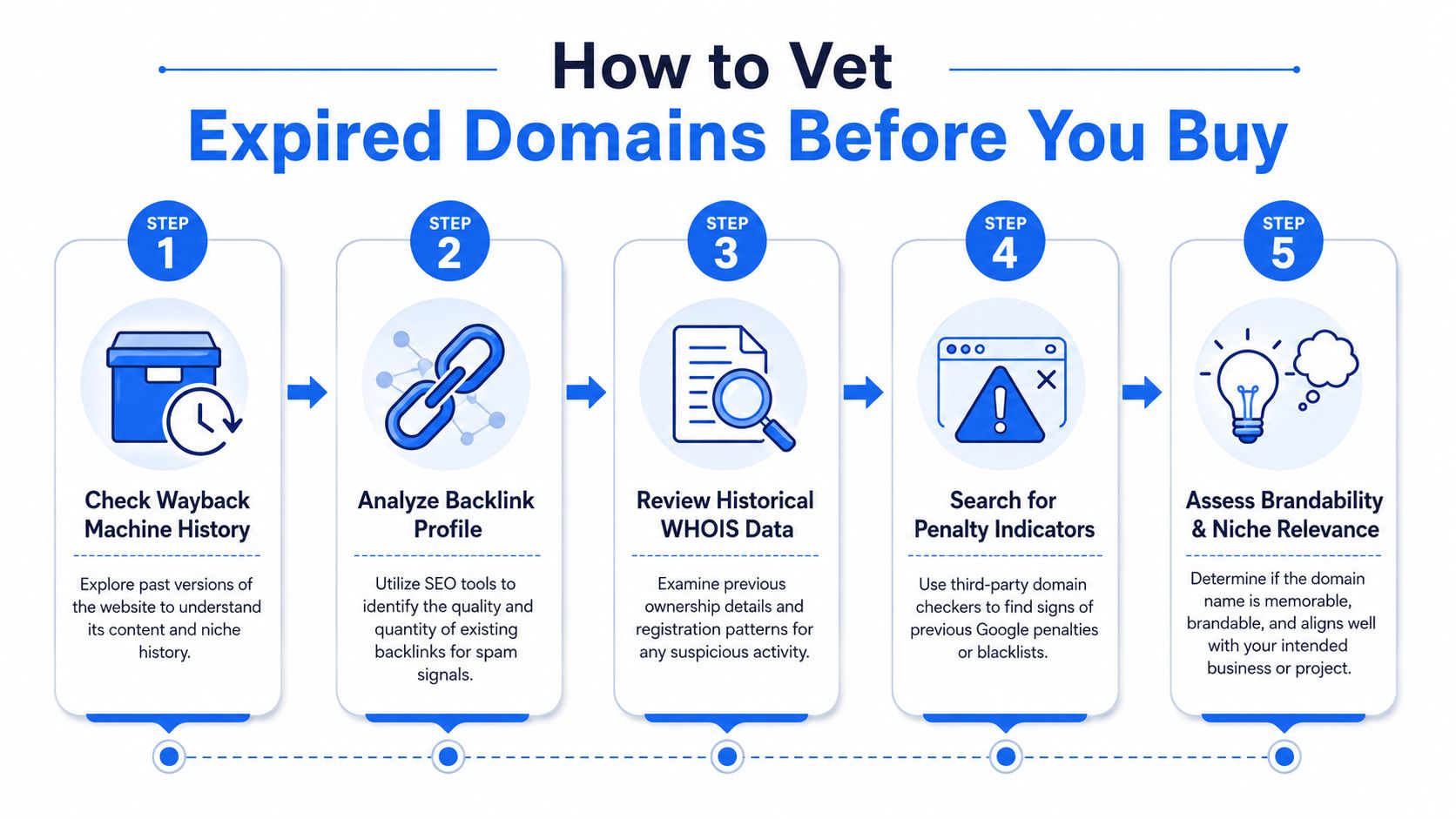
The five checks I'd run before bidding
Review the Wayback Machine history
Look at multiple snapshots across time, not just the homepage. Was the domain used for a real business, a clean content site, or something sketchy like churn-and-burn affiliate spam?Search the domain in Google
A simple site query won't tell you everything, but it can reveal whether pages appear indexed at all and whether odd URLs still linger.Inspect backlinks for pattern quality
Don't just count links. Look for relevance, language mismatch, weird anchors, and clusters that suggest purchased or manipulated links.Check historical ownership and purpose
Frequent changes in identity, niche, or ownership can mean the domain has been repurposed repeatedly. That often leaves residue.Judge fit, not just cleanliness
Even a clean domain can be a bad buy if it has no niche relevance, no brand potential, or a confusing history.
What makes an expired domain too risky
I usually walk away when I see combinations like these:
- Spammy historical use that doesn't match any legitimate brand or publisher
- Backlink contamination from irrelevant or obviously manipulative sources
- Drastic niche switching over time, which often means the domain was used as a shell
- Thin archival content across many pages, especially if the site looked auto-generated
- Signals that are impossible to verify cleanly, where too many things feel off at once
If you have to tell yourself a long story about why the domain is probably fine, it probably isn't.
If you're actively hunting in the aftermarket, it helps to review candidates in batches instead of one at a time. A dedicated expired domain checker can help structure that process so you're comparing history, links, and risk with the same standard every time.
So You Found a Problem What Is Your Next Move
If you already own the domain, the decision is operational. If you're considering a purchase, the decision is financial. Those are not the same thing.
If you own the domain
Start with the problem category and keep the response proportional.
Manual action present
Fix the exact issue called out in Search Console. If it's links, audit and clean up what you can. If it's content or spam, remove or improve the offending sections. Then submit a reconsideration request that explains what changed in plain language.Algorithmic quality issue
Improve the parts of the site that are weak. Consolidate thin pages, remove obvious junk, strengthen original value, and clean up manipulative leftovers. Then wait for reevaluation.Suspicious backlink profile
Audit links carefully. Don't panic-disavow everything that looks ugly. Focus on patterns that clearly point to manipulation or irrelevance.
If you haven't bought the domain yet
This part is simpler than people want it to be. Ask whether the cleanup effort is the asset.
Buy the domain if the brand fit is strong, the history is mostly clean, and the risk appears limited in scope. Walk away if the value depends on you resurrecting a domain with unclear trust, ugly links, and a sketchy archive trail.
A lot of expensive mistakes come from confusing “recoverable” with “worth recovering.” Those are different questions.
The better move most of the time
Prevention beats rehab.
If a domain needs too much explaining, skip it and start from cleaner ground. That's especially true when you're building a money site, a client property, or anything you don't want sitting on a shaky foundation.
If you'd rather spend your time building than playing forensic detective, NameSnag is built for that workflow. You can browse available domains that just dropped and can be registered right away, or scan expiring domains that are still in their grace period and likely to drop soon. The time filters make triage easy too, whether you want today's list or a wider window.
Find Your Perfect Domain
Get access to thousands of high-value expired domains with our AI-powered search.
Start Free Trial