Let's settle a classic internet head-scratcher that trips up more people than you'd think.
Right off the bat: no, domain names are not case sensitive. If you type Example.com or example.com into your browser, you're going to land on the exact same website. This isn’t a happy accident; it's a brilliant design choice to keep the internet from spiraling into total chaos.
So, It's a Simple "No"? Not So Fast, Partner.
Imagine the pure pandemonium if YourBank.com and yourbank.com pointed to two different websites. One could be your actual bank, and the other a sneaky phishing site. To prevent this digital wild west, the internet's phonebook—the Domain Name System (DNS)—was built to treat domain names as case-insensitive.
This rule is baked right into the internet's DNA. The Internet Engineering Task Force (IETF) spelled it out in a doc called RFC 4343, mandating that domain lookups must ignore capitalization to ensure things just work for everyone, everywhere. It's one of those unsung hero rules that keeps the whole system glued together, a standard you'll see referenced on sites like the World Intellectual Property Organization's.
But here’s the plot twist, and it's a big one. While the domain itself is super chill, the rest of the URL is a whole different beast.
Here's the golden rule: everything after the
.com(or whatever top-level domain you're using) can be case sensitive. We're talking folders, page names, and file extensions. Get this wrong, and you're staring down the barrel of 404 "Page Not Found" errors and some serious SEO self-sabotage.
To make this crystal clear, let's break down a typical URL.
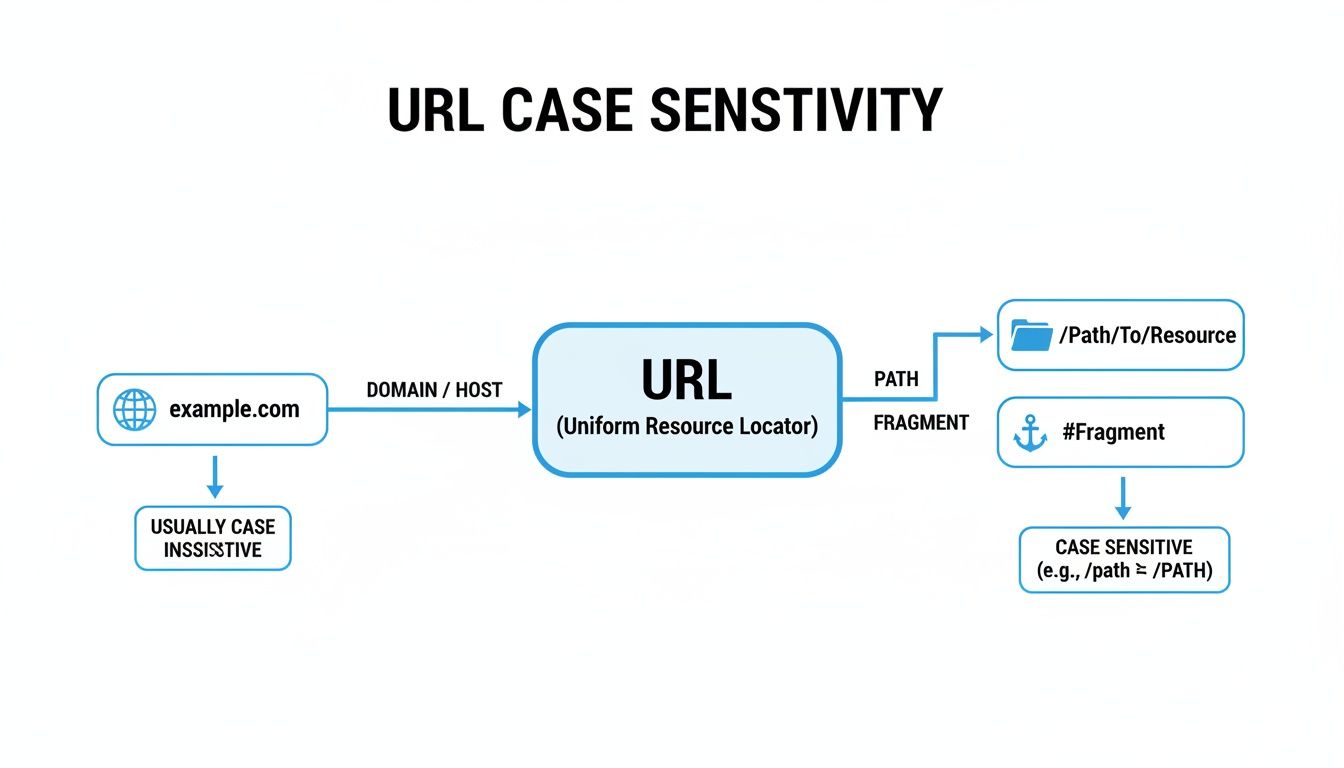
As you can see, the core domain is safe territory. It's the path and all the stuff that follows where you absolutely need to mind your Ps and Qs—or rather, your uppercase and lowercase letters.
For a quick cheat sheet, here's a simple breakdown of what to watch out for in a web address.
URL Case Sensitivity at a Glance
| URL Part | Case Sensitive? | Example |
|---|---|---|
| Scheme | No | http:// is the same as HTTP:// |
| Host/Domain | No | Example.com is the same as example.com |
| Path | Yes | /My-Folder/ is not the same as /my-folder/ |
| Filename | Yes | /photo.JPG is not the same as /photo.jpg |
| Query | Yes | ?id=ABC is not the same as ?id=abc |
| Fragment | Yes | #Section1 is not the same as #section1 |
The big takeaway? While your domain name gives you marketing flexibility, the server treats the rest of the URL like a literal file path. On most web servers (like those running Linux), File.pdf and file.pdf are two completely different files.
Why DNS Ignores Case: An Internet Rule We Can’t Live Without
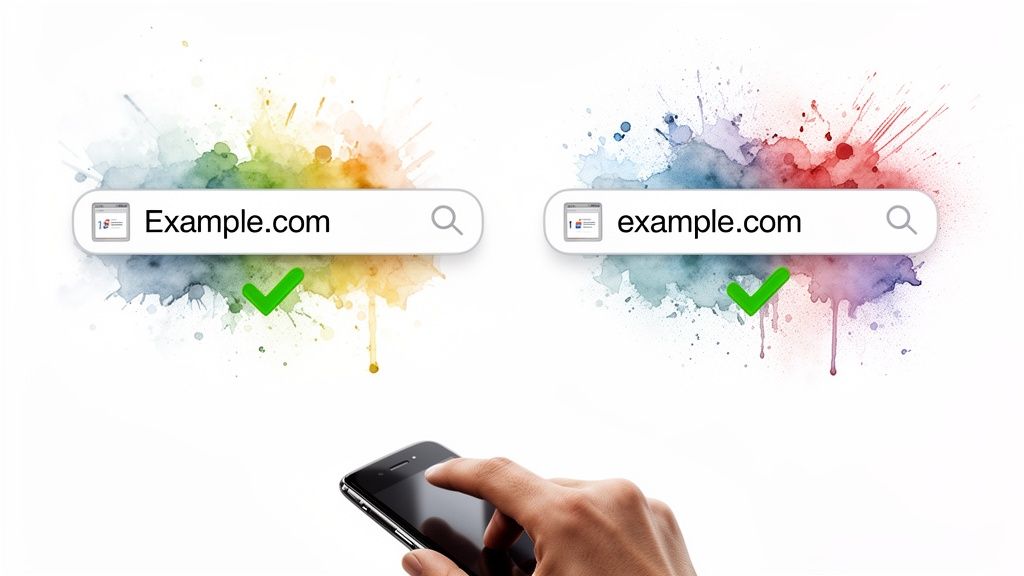
The fact that you can mash Example.com or example.com into your keyboard and land in the same spot is pure genius. It’s a core design principle of the internet, a rule put in place by the smart folks at the Internet Engineering Task Force (IETF) to keep things from getting messy.
Think of the Domain Name System (DNS) as the internet’s universal translator. Its main job is to make sure every computer, everywhere, can find the right address without a fuss. To do this, it treats all domain names as case-insensitive, basically forcing everything into lowercase behind the scenes so there are no mix-ups. We get into the nitty-gritty of this in our guide on the basics of DNS entries.
A Simple Rule for a Complicated World
This one simple decision has massive consequences, especially for security and just making the web usable for normal humans. Imagine a world where a scammer could register PayPaI.com (with a capital "i" instead of an "l") to phish users trying to reach the real paypal.com. Case-insensitivity slams the door on that entire category of cybersquatting and user confusion before it even begins.
This rule ensures that whether you see
MyBrand.comon a billboard or typemybrand.comon your phone, you always get to the right digital front door. It’s the internet’s way of saying, “I got you. I know what you mean.”
The benefits of this standard are crystal clear:
- It prevents user confusion. Nobody has to remember if your brand uses a capital letter in the middle of its domain. It just works.
- It thwarts lazy cybersquatting. Bad actors can’t just register capitalized variations of popular domains to set up phishing schemes or run scams.
- It gives brands flexibility. You’re free to market your domain with creative capitalization for visual appeal, knowing that users will find you no matter how they type it.
Ultimately, this foundational rule simplifies everything. It’s a small detail that adds a huge layer of stability, making the internet a more reliable and less chaotic place for all of us.
The Part of Your URL That Is Case Sensitive
While the domain name is forgiving, the rest of your URL is where things get spicy—and where people make costly, invisible mistakes all the time. Everything after the .com (or your TLD) is the URL path, and it can be ruthlessly case sensitive.
Whether it is or isn't depends entirely on the server's operating system. A massive slice of the internet runs on Linux servers, and Linux treats file and folder names with exacting precision.
To a Linux server, Our-Services.html and our-services.html are two completely different files. It's like having two separate documents in a physical filing cabinet labeled "Q4 Report" and "q4 report"—for all intents and purposes, they are not the same thing. Windows servers, on the other hand, tend to be more relaxed and usually treat them as identical.
Why This Tiny Detail Causes Big Problems
This subtle difference is a breeding ground for frustrating user experiences and, even worse, major SEO headaches. If you link to /About-Us/ on one page but then link to /about-us/ on another, you’re basically creating chaos for both visitors and search engines.
This kind of inconsistency inevitably leads to:
- Frustrating 404 Errors: A visitor clicks a link with the "wrong" capitalization and hits a dead end. That's a "Page Not Found" error that kills their journey on your site and makes you look like an amateur.
- Split Link Equity: Search engines might see
/OurCoolPageand/ourcoolpageas two distinct pages. All that SEO authority you've built from backlinks gets diluted, split between multiple URLs instead of being consolidated into one strong one. - Duplicate Content Issues: If Google finds and indexes both versions, it can flag them as duplicate content. That's a classic SEO own-goal that can drag your rankings down.
The bottom line is simple: Inconsistent capitalization in your URL paths is an invisible saboteur. You work hard to build authority, only to have it bled away by a technical slip-up that's entirely preventable.
For anyone serious about SEO and user experience, the strategy is non-negotiable. Always use lowercase for your URL paths. This simple discipline is your insurance policy, ensuring every link points to the single, canonical version of your page. It's the foundation of a clean, error-free, and powerful site structure.
How Case Sensitivity Messes With Your Branding and SEO

So, we've established the internet's core address book—the DNS—doesn't give a whit about capitalization in your domain name. But search engines and your customers? They're a different story entirely.
On the marketing front, it’s just good sense to use capitalization for clarity. A domain like MyAwesomeSite.com simply looks better and is easier to read on a business card or billboard than myawesomesite.com.
This style, often called PascalCase, makes your brand feel more professional and memorable. And since browsers will get people to the right place no matter how they type it, there’s no harm in using it for your offline marketing. The trouble starts when that same case-insensitivity you rely on for the domain name doesn't apply to the rest of the URL.
Canonicalization: Your SEO Secret Weapon
This is where you need to get familiar with a process called canonicalization. It’s just a fancy word for telling search engines which version of a URL you consider the "master copy." If you have pages that can be reached at both /My-Page/ and /my-page/, Google might see them as two separate pages with duplicate content. This splits your SEO value right down the middle.
You fix this with a canonical tag. It’s a tiny bit of code in your page’s header that points all the different variations to one single, preferred URL. It's your way of telling Google, “Hey, ignore those other versions. This one here is the real deal.”
By forcing all your link equity into one authoritative URL, you focus your ranking power. This sidesteps duplicate content issues and makes sure every single backlink strengthens one page, instead of diluting its power across multiple impostors.
One Case to Rule Them All
Ultimately, the best strategy is to pick one case—lowercase, always lowercase—and enforce it across your entire site. This gets rid of any confusion for search engines and gives users a clean, predictable experience. You can set this up pretty easily with a few server rules. For a great walkthrough, check out our article on using 301 redirects with .htaccess.
Getting a handle on how a technical detail like URL case fits into the big picture is what separates the pros from the amateurs. To go deeper, there’s a practical guide to unifying branding and SEO that connects these dots beautifully. It’s that blend of smart branding and rock-solid technical SEO that really builds a formidable presence online.
How Domain Investors Can Leverage This Knowledge
For a domain investor, understanding that domains are not case sensitive isn't just trivia. It's a fundamental filter for spotting real value versus fool's gold. The immediate tactic is simple: you don't need to register every capitalized version of your prize domain. BrandName.com, brandname.com, and BRANDNAME.com all resolve to the exact same place. Owning one is owning them all.
This fact immediately shifts your focus to what actually matters—a domain's strength in its simplest, all-lowercase form. A name that relies on cute capitalization to make sense, like ExpertsInSEO.com, is inherently weak. If a name isn't clear and memorable as expertsinseo.com, it's not a premium asset. The best domains are brandable without any visual tricks.
Finding Inherently Strong Domains
This is where you can get a real leg up. Instead of getting sidetracked by gimmicks, you can pour your energy into hunting for names with solid fundamentals: memorable, easy to spell, and instantly understandable.
This is precisely the strategy we built NameSnag to support. We help you zero in on high-potential assets in two crucial categories, with filters to narrow down your search by when they dropped:
- Available Domains: These are names that have recently been dropped and are up for grabs. It's a goldmine for finding hidden gems the moment they become available. You can filter for domains that dropped today, in the last 3 days, or even longer.
- Expiring Domains: These domains are past their renewal date but still in a grace period. Snapping up expiring domains can land you a name with a valuable, pre-existing backlink profile and authority.
The winning tactic is to focus your search on domains that are strong on their own merits, sidestepping potential branding headaches. You're not just buying a name; you're securing a prime piece of digital real estate that's ready for development, free from built-in confusion.
For investors using NameSnag, the game is about prioritizing brandable domains with strong SEO potential. A critical, non-negotiable step is to check the domain history to make sure it’s clean. This helps you dodge the kind of ambiguous names that often get tangled up in legal disputes.
And those disputes are more common than you'd think. In the high-stakes domain market, US-led filings for domain disputes reached a cumulative 67,625 cases by 2023, according to data on Statista. By sticking to clear, unambiguous names, you build a portfolio of assets primed for real-world success, not legal battles.
Alright, let's tackle some of the questions that always pop up. Now that you know the basic lay of the land—domains don't care about case, but everything after the .com absolutely can—we can dive into a few specific situations you're bound to run into.
Are Email Addresses Case Sensitive?
This one's a classic. Technically, the ancient internet scrolls say the part before the @ symbol can be case sensitive. But in the real world? It's a different story.
Thankfully, almost no one follows that rule. Major email providers like Gmail, Outlook, and Yahoo all treat usernames as case-insensitive. They do this for a very simple reason: to stop emails from bouncing. This means John.Doe@email.com and john.doe@email.com will land in the exact same inbox.
The part after the @ is just a domain name, so it follows the same case-insensitive rule we've already covered. Just to be safe, stick to lowercase for everything. It's just easier.
Should I Use Capital Letters in My Domain for Marketing?
You absolutely should! Using what's called PascalCase, like MyAwesomeBrand.com, on business cards, billboards, or social media makes your domain infinitely more readable. A user's brain can parse that instantly, which is exactly what you want.
Since browsers will convert it to lowercase anyway, there's no technical downside for the user. Just be sure your web server is set up to redirect everything to a single, all-lowercase URL. This is non-negotiable for clean analytics and solid SEO. You want every bit of marketing juice flowing to one authoritative address.
Does This Apply to International Domains?
Yep, the rules are the same across the board. Internationalized Domain Names (IDNs), which use characters from outside the standard English alphabet (like café.com), get translated into a special format called Punycode before they hit the DNS.
This Punycode system is standardized to be case-insensitive, just like everything else. It's a crucial piece of the puzzle that makes the global internet work reliably for everyone, no matter what language they speak or how they type your domain.
Ready to find your own brandable domain? NameSnag cuts through the noise, helping you discover high-value domains with real SEO potential. Whether you're hunting for freshly Available domains or powerful Expiring domains with existing authority, our platform makes it easy to find assets worth owning.
Find Your Perfect Domain
Get access to thousands of high-value expired domains with our AI-powered search.
Start Free Trial