Ever found the perfect domain name, only to realize it’s already taken? Ugh, that sinking feeling is the worst. But what if its current owner is about to let it go? Using a domain expiration date checker isn't just about managing your own digital assets; it's a savvy strategy for uncovering and grabbing high-value domains before anyone else gets a sniff.
Why Domain Expiration Dates Are Your Secret Weapon
Let's be honest, the digital world is crowded. Finding a short, memorable, and brandable domain name feels like striking gold these days. But what if the gold rush isn't about finding new territory, but claiming prime real estate that's about to be abandoned?
That's precisely the opportunity checking domain expiration dates unlocks. For entrepreneurs, SEO pros, and savvy investors, it's an absolute game-changer.
Think of it this way: every domain name has a lease, not a deed. When that lease runs out and isn't renewed, the property goes back on the market. By monitoring these dates, you're essentially getting an insider's tip on which properties are about to become available. This isn't just about finding a cool name; it's about acquiring a domain that might already come with powerful SEO benefits, like an established backlink profile and years of history in Google's eyes.

Uncovering Hidden SEO Gold
The real magic is in finding aged domains that already have some authority baked in. A brand-new domain starts from absolute zero—no backlinks, no trust, no history. An expired domain, on the other hand, can give you an incredible head start.
Imagine grabbing a domain that already has:
- A strong backlink profile: It could have high-quality links from reputable websites that would take you months, if not years, to build from scratch.
- Established domain authority: Search engines tend to trust older domains more than new ones, giving you an immediate credibility boost.
- Existing traffic: Some expired domains still get a trickle of traffic from old links, which you can redirect to your new project right away.
Every single day, the domain market unleashes a torrent of these opportunities. Over 150,000 domains expire worldwide daily, creating a goldmine for anyone hunting for aged assets packed with value. It’s a staggering number, driven by owners who simply forget to renew or businesses that pivot, even with auto-renew options in place.
The Two Sides of the Expiration Coin
So, how do you capitalize on this? There are two main plays, and tools like NameSnag make both incredibly simple.
First, you can hunt for Expiring domains. These are domains that just passed their expiration date and are now sitting in a grace period. The original owner might still swoop in and renew, but many don't. By watching this list, you can be first in line when they officially drop.
Pro Tip: Don't just look at the expiration date; dig into the domain's history. A domain that was once a thriving blog in your niche is far more valuable than one that was used for spam, even if their metrics look similar at a glance.
The second, more immediate strategy is to search for Available domains. These are the domains that have already gone through all their grace periods and have been released back into the wild. They are ready to be registered right now by anyone, for the standard registration fee. This is where you can find absolute gems that others have overlooked.
For businesses that want to completely offload this kind of administrative headache, exploring comprehensive managed website services can ensure critical details like domain renewals are always handled by an expert, preventing your own assets from ever landing on someone else's watchlist.
Finding a Domain's Expiration Date: The Manual Approach
Before you get lost in the world of automated tools, it's worth rolling up your sleeves to do a bit of old-school detective work. Learning how to manually check a domain's expiration date gives you a solid foundation and a much better feel for the data that drives the entire process. It’s a bit like learning to drive a stick shift; you just become a better, more intuitive driver, even when you switch back to an automatic.
The classic method here is a WHOIS lookup. Think of WHOIS as the internet's public phonebook. For decades, it's been the standard protocol for asking a central database for a domain's registration info.
When someone registers a domain, they have to provide contact information, which gets stored in this public record. While privacy services can hide personal details, they almost never block the critical registration dates. This raw data is exactly what every automated domain checker is built on.
Tapping into WHOIS and RDAP for Expiration Info
Finding a WHOIS lookup tool is a piece of cake—countless websites offer the service for free. Just punch your target domain into the search bar, and it’ll spit out the public record. You'll get a block of text that might look a little intimidating at first, but the important stuff is usually labeled clearly.
You're hunting for one specific line item. It'll probably be called:
- Registry Expiry Date
- Expiration Date
- Expires On
This is the jackpot. It’s the official date when the domain's contract with the central registry ends. You can't get any more accurate than this—it comes straight from the source.
A Quick Heads-Up: WHOIS is slowly being replaced by a more modern, secure protocol called RDAP (Registration Data Access Protocol). The output might look a little different—often it's cleaner and more organized—but the core information, including the expiration date, is exactly the same. Most modern lookup tools actually use RDAP under the hood whenever it's available.
Checking Your Own Domains in Registrar Dashboards
What if the domain is one of your own? That's way simpler. Skip the public tools and head straight to your domain registrar’s dashboard—the site where you bought the domain, like GoDaddy, Namecheap, or Google Domains.
After you log in, just find your list of domains. The expiration date is almost always displayed right there next to each domain name. This is your first line of defense against accidentally letting one of your own assets slip through your fingers. It’s also the perfect spot to double-check that your auto-renewal is turned on. Knowing these dates is a critical piece of managing your digital assets. If you want to get into the nitty-gritty, you can also learn more about how to find out when a domain expires and all the nuances involved.
What About Privacy Protection?
This question comes up all the time: "What if the domain is using privacy protection?" Don't sweat it. WHOIS privacy is designed to hide the owner's personal info—their name, address, email—to cut down on spam and protect their identity.
But here's the key: this privacy shield almost never hides the domain's registration and expiration dates. That information is considered essential administrative data. So, even if you see "REDACTED FOR PRIVACY" all over the contact fields, the "Registry Expiry Date" will almost certainly be visible. This keeps the domain's timeline transparent while still protecting the owner, so you won't hit a dead end in your research.
Decoding the Domain Expiration Lifecycle
So you've used a domain expiration date checker and found it: the exact day a killer domain is set to expire. Fantastic! But don't pop the champagne just yet—that date isn't the finish line. It's the starting pistol for a multi-stage race, and knowing the course is the key to winning.
A domain doesn't just vanish into thin air the day it expires. It kicks off a predictable, often dramatic, journey. Understanding this lifecycle is what separates the amateurs from the pros. It transforms you from a passive watcher into a strategic sniper, ready to make a move at the absolute perfect moment. It’s the difference between seeing a domain is "expiring" and knowing precisely when it might actually become available for you to grab.
The process of discovering and acting on this data follows a clear path, from the initial lookup to the final analysis.
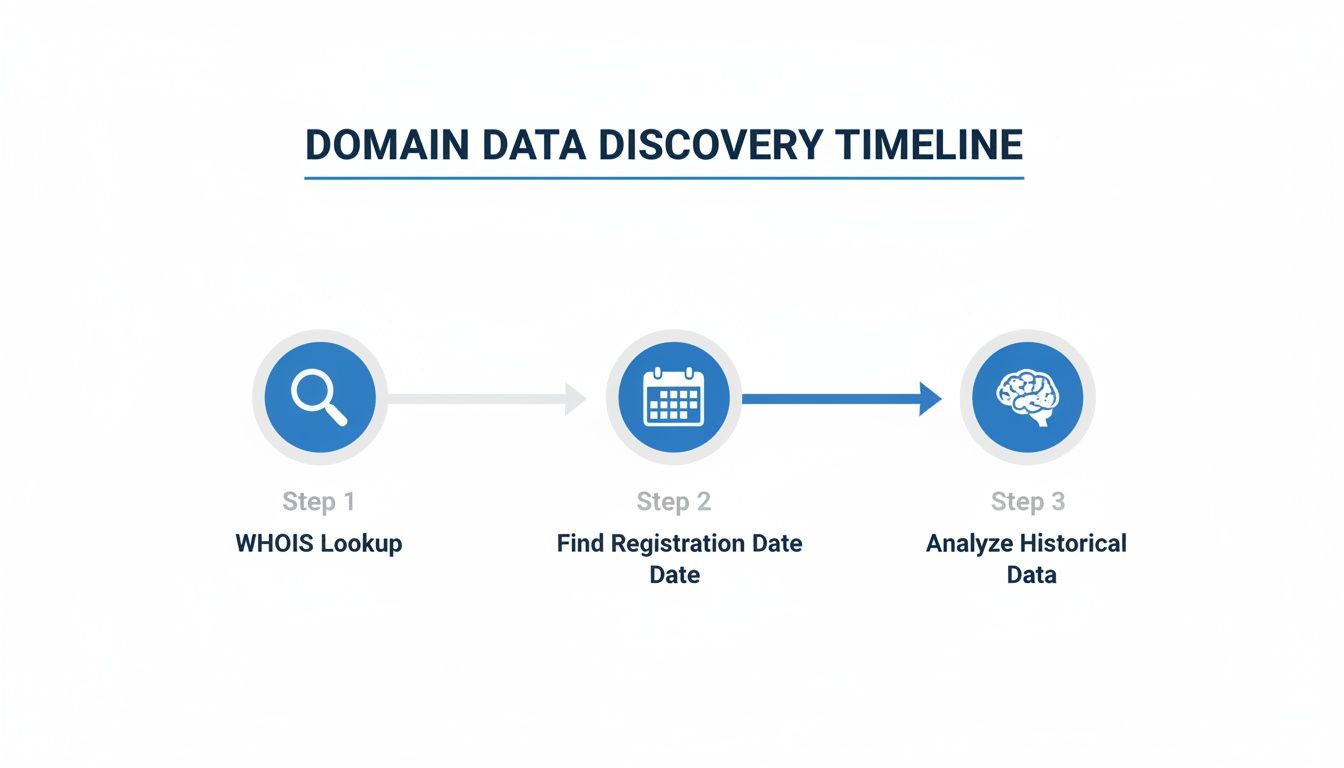
As you can see, the journey starts with a simple WHOIS lookup to find the date, but the real intelligence comes from analyzing what that date signifies within the broader lifecycle.
The whole process can feel a bit confusing, so let's break down each stage of a domain's post-expiration life.
Domain Expiration Stages: What You Need to Know
| Lifecycle Stage | Typical Duration | What's Happening | Can You Register It? |
|---|---|---|---|
| Active | Up to 10 years | Domain is registered and functioning normally. | No |
| Registrar Grace Period | 0-45 Days | The owner can renew at the standard price. Website/email usually go offline. | No |
| Redemption Period | 30 Days | Owner can still renew, but with a significant penalty fee. | No |
| Pending Delete | ~5 Days | The domain is locked and queued for deletion. No one can touch it. | No |
| Dropped | Instantaneous | The domain is released and available for public registration. | Yes! (First-come, first-served) |
Each phase has its own rules and timeline, and knowing them is crucial to timing your move.
The Grace Period: The Owner's Last Chance
The moment a domain passes its expiration date, it enters the Registrar Grace Period. Think of this as the original owner's final shot to renew the domain at the standard price.
Its duration can vary wildly—from 0 to 45 days, depending entirely on the registrar's policies. During this time, the website and email services tied to the domain will likely stop working, which is often a loud wake-up call for the owner.
You can't register it yet, but this is prime time to start monitoring.
The Redemption Gauntlet: Things Get Expensive
If the owner misses the Grace Period, things get serious. The domain now enters the Redemption Period, a much more painful and expensive stage that typically lasts for 30 days.
During redemption, the original owner can still get their domain back, but it now comes with a hefty fee—often $100 to $200 or more—on top of the regular renewal cost. For you, the hopeful buyer, this period is just more waiting. The domain is completely locked down.
The high cost of redemption is a strong deterrent. If a domain makes it this far, the odds of it dropping and becoming available to the public increase significantly. It's a clear sign the original owner may have truly abandoned it.
The Final Countdown: Pending Delete
After the Redemption Period ends, the domain enters its final phase: Pending Delete. This is the point of no return. This stage is short and sweet, lasting only about five days.
During this time, the domain is queued up for deletion from the central registry. No one can renew it, no one can recover it—it's locked in for termination. Once these five days are up, the domain is officially "dropped" and released back to the public pool, ready to be registered by the fastest person on a first-come, first-served basis.
If you've been tracking a domain through this whole process, this is the moment you’ve been waiting for. For a deeper dive into timing this perfectly, check out our guide on when a domain will expire.
In the cutthroat world of .coms, renewal rates hover around 75.3%. That translates to over 40 million domains at risk of expiring every year from the 160M+ .coms alone—a stat that screams opportunity for those who know what they're doing. This massive turnover is what fuels the entire ecosystem of domain acquisition.
Automating Your Hunt for Domain Gold
Manual checks are fine if you’re only keeping an eye on a handful of domains, but let’s be real—that’s not how you find the hidden gems. To really scale your efforts and get ahead of the competition, you have to ditch the tedious labor and bring in automation. This is where modern platforms completely change the game, turning what was once a frustrating manual hunt into a streamlined, strategic operation.
Instead of constantly chasing down data, the right tools bring the opportunities directly to you. It's the difference between panning for gold in a river and having a professional mining operation deliver refined ore right to your doorstep.
Building Your Automated Domain Pipeline
The whole idea behind automation is to build a pipeline. You set your criteria once, and a curated list of high-potential domains just flows to you daily. Imagine waking up to an email with domains that perfectly match your niche, already vetted for SEO value and brandability, all without you lifting a finger.
This isn't some fantasy; it's how the pros operate. They use platforms with a sophisticated domain expiration date checker to sort through the daily avalanche of over 150,000 expiring domains.
Automation isn't just about saving time; it's about making better decisions, faster. By filtering out the 99% of junk domains automatically, you can focus your energy on the 1% that truly matter.
Filtering for Immediate Wins and Future Prospects
A good automated system lets you hunt for two different kinds of opportunities, often with just a click of a button. This dual approach is essential if you want to build both a short-term and long-term acquisition strategy.
1. Finding Immediately Available Domains
These are the domains that have already gone through the entire expiration lifecycle and just dropped. They're ready to be registered right now at any standard registrar. With a platform like NameSnag, you can filter for Available domains that dropped today. This is the absolute fastest way to acquire an asset, as there’s no waiting period.
2. Tracking Soon-to-Drop Expiring Domains
This is the more strategic play. By filtering for Expiring domains, you can see what’s coming down the pike. These domains are still in their grace or redemption periods but are on the path to being released. Advanced filters let you build out specific watchlists:
- Today: See what expired in the last 24 hours.
- 3 Days: Get a short-term view of what's about to drop.
- 7 Days: Plan your week around key potential acquisitions.
- 30 Days: Build a long-term calendar of high-value targets.
This kind of foresight is invaluable. It gives you plenty of time to do deep due diligence on a domain's history, check out its backlink profile, and look for potential penalties before it ever hits the open market. A comprehensive domain scanner can be a huge help here, letting you quickly assess various domain attributes to identify the best targets.
Setting Up Smart Alerts and Monitoring
The final piece of the automation puzzle is setting up alerts. This is where you truly put your domain hunting on autopilot. Instead of logging in every day to check your lists, you can configure the system to ping you the moment a domain matching your exact criteria is found.
For example, you could set up an alert for:
- Any .com domain with the word "coffee" in it.
- Domains with more than 50 referring domains.
- Domains that are over 10 years old.
These alerts become your personal scouts, working for you 24/7. This proactive approach is exactly why a solid domain name monitor is so critical; it ensures you're always the first to know when a prime opportunity surfaces. With this level of automation, you're no longer just a hobbyist—you’re running a professional domain acquisition system.
Getting Your Hands on a Great Expiring Domain
Knowing a domain is about to drop is one thing. Actually catching it is another game entirely. It’s a bit of an art form, blending patience, solid research, and razor-sharp timing. Let's walk through the tactics that actually work, the ones that give you a real shot at turning an expiring domain into your next big asset.
The second a domain officially drops, it’s a mad dash. You’re not just competing against a few other people; you’re up against thousands, including sophisticated automated bots, all gunning for the same valuable name. Just being there with your credit card at the right second won't cut it. You need to use services built for this very purpose.
The Art of the Backorder
The most reliable strategy by far is the domain backorder. Think of it as calling dibs. You’re essentially telling a specialized service, "Hey, if this specific domain becomes available, I need you to grab it for me instantly and automatically."
Here’s the breakdown of how it works:
- You place an order: You browse a list of Expiring domains, pick your target, and pay a small fee to a backordering service.
- The service lies in wait: Their systems are hooked directly into the domain registries, monitoring your chosen domain around the clock.
- The "drop" happens: The microsecond the domain is released, their high-speed, automated systems fire off a registration request on your behalf. We’re talking fractions of a second.
If they snag it and you were the only person who backordered it through them, congratulations—the domain is yours. If several people put in a backorder, it typically goes to a private auction just between those bidders.
A crucial tip from the trenches: Don't put all your eggs in one basket. For a really high-value domain, place backorders with multiple services. Each one has slightly different tech and success rates, and doing this can seriously boost your chances of success.
Your Pre-Acquisition Checklist: Do Your Homework
Before you even think about placing that backorder, you absolutely have to do your due diligence. Snapping up an expired domain without vetting it is like buying a used car without popping the hood. You might find a hidden gem, or you might end up with a lemon that’s been in a five-car pileup.
Your goal here is simple: make sure the domain is a valuable asset, not a hidden liability that’s going to torpedo your project. A good domain expiration date checker provides the starting point, but the real analysis is up to you.
Digging Into a Domain's History
A domain's past can make or break its future value. You have to play detective and figure out what its former life was like to avoid inheriting someone else’s mess.
- Backlink Profile Analysis: Where are its links coming from? Are they from respected, relevant sites, or a swamp of spammy blog comments and sketchy directories? You'll need tools like Ahrefs or Majestic for this. A few high-quality links are worth infinitely more than thousands of toxic ones.
- Spam History Check: Use the Wayback Machine (Archive.org) to see what the website used to look like. Was it a legitimate business or a shady site pushing pills and online gambling? If you see anything that screams spam, walk away. Fast.
- Google Penalty Check: There's no big red button that says "Penalized," but you can find clues. A sudden, catastrophic drop in organic traffic in its history is a massive red flag. Also, do a quick Google search for
site:domain.com. If nothing shows up, the domain was likely de-indexed by Google, and that's usually for a very bad reason.
This process isn't optional. It's what protects you from wasting money and, more importantly, from shackling your brand to a domain with a toxic past. Finding a great name is exciting, but finding one that’s both clean and powerful is how you actually build something that lasts.
A Few Lingering Questions
Got a few questions still buzzing around? Good. You're in the right place. I've pulled together some of the most common queries I hear about checking domain expiration dates and what to do with that intel.
Let's clear up any confusion and get you from domain watcher to domain owner.
Expiring vs. Available Domains: What's the Difference?
This is easily the most important distinction to master. Getting it wrong means wasting a ton of time and missing prime opportunities, so let's make this crystal clear.
An expiring domain has just passed its official expiration date, but it's still tangled up in the registrar's recovery process. It’s sitting in a grace or redemption period, which means the original owner can still swoop in and renew it—and they often do. You can't register it yet, but you should absolutely have it on your watchlist.
An available domain, on the other hand (often called a "dropped" domain), has gone through that whole lifecycle without being rescued. It's been officially released back into the wild, and it's fair game. Anyone can register it immediately for the standard fee.
Platforms built for this stuff make it simple to separate the two. You can hunt for treasure by filtering for immediately Available domains that just dropped, or you can play the long game by monitoring a list of Expiring domains that are on the horizon.
Think of it like real estate. An "expiring" domain is a house in foreclosure—the bank hasn't officially taken it over, but it's on your radar. An "available" domain is a house with a "For Sale" sign planted firmly in the front yard.
How Accurate is a WHOIS Expiration Date?
The "Registry Expiry Date" you pull from a WHOIS or RDAP lookup is rock-solid accurate. It's the official date the registrar's contract with the central domain registry runs out. There's no guesswork involved here; it’s the definitive date.
However—and this is a big "however"—it is not the date the domain will become available for you to register. That date just fires the starting pistol for the grace period. You still have to wait for the domain to pass through the entire 30- to 75-day lifecycle of grace and redemption periods before it might drop.
So, while the date itself is correct, think of it as just the starting line, not the finish.
Is Buying an Expired Domain a Good SEO Strategy?
It can be an absolutely incredible SEO strategy, but it comes with a massive asterisk: only if you do your homework.
A high-quality expired domain can be like strapping a rocket to your project. It gives you a huge head start with its existing domain authority, age, and established backlink profile. You're basically starting on third base instead of at home plate.
The danger, though, is in a domain's hidden past. If it was used for spam, linked to from sketchy neighborhoods on the web, or got slapped with a Google penalty, it will do more harm than good. A domain with a toxic history can poison your efforts before you even write your first blog post.
This is why due diligence is non-negotiable. Always check:
- Backlink Quality: Are the links coming from relevant, authoritative sites?
- Website History: Use the Wayback Machine. See what the site used to be about.
- Search Engine Status: Make sure it's still indexed by Google.
A clean, powerful expired domain is one of the most effective assets you can get your hands on. A toxic one is a liability just waiting to happen.
Can I Check the Expiration Date for Any Domain?
For the most part, yes. The registration and expiration dates for most common top-level domains (TLDs) like .com, .org, and .net are considered public administrative data.
Even when a domain owner uses a WHOIS privacy service to hide their name, email, and address, the key dates are almost always left visible. That's because transparency in a domain’s registration timeline is seen as essential for the internet's infrastructure to function smoothly.
You might run into some country-code domains (ccTLDs) with stricter rules or different public data policies, but for the vast majority of domains you'll come across, finding the expiration date is a pretty straightforward affair.
Ready to stop guessing and start finding? NameSnag uses AI to analyze over 170,000 domains every day, filtering out the junk to show you only the high-value gems with real SEO and branding potential. Stop wasting hours on manual research and start discovering your next great domain today at https://namesnag.com.
Find Your Perfect Domain
Get access to thousands of high-value expired domains with our AI-powered search.
Start Free Trial